

Tool Interface Preview
TLS LOGJAM Vulnerability Scanner
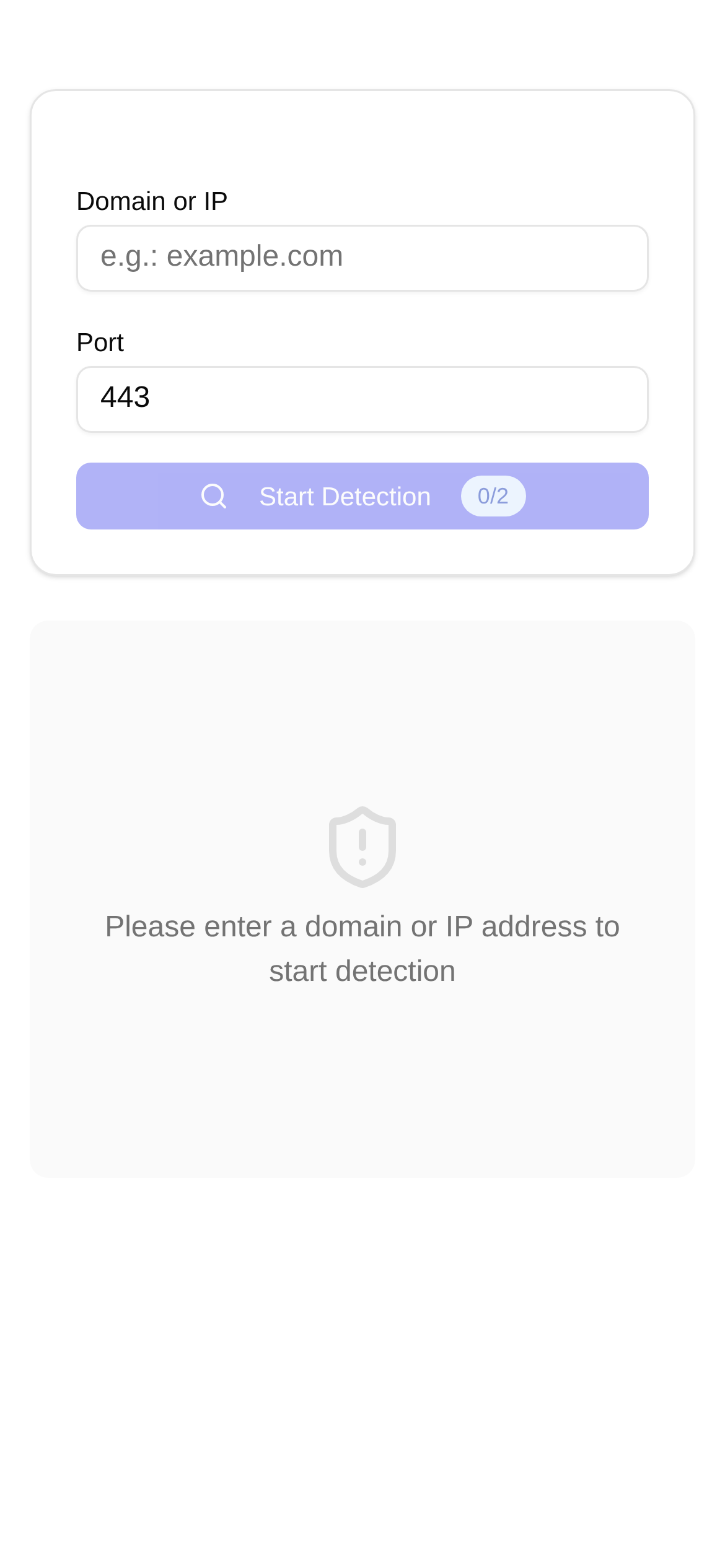
Is your website's TLS configuration secure? Detect and fix the LOGJAM vulnerability in one click.
Think your website is perfectly safe just because it has HTTPS? Don't be too naive! Some "antique" vulnerabilities, like LOGJAM, are still secretly threatening your data security.
What Exactly is the LOGJAM Vulnerability? Why is it so Dangerous?
The LOGJAM vulnerability (CVE-2015-4000) is essentially a "downgrade attack" specifically targeting the Diffie-Hellman key exchange protocol. Simply put, your website might be capable of using top-tier encryption, but an attacker can force it to downgrade to an old, weak 512-bit encryption. As a result, they can crack your encrypted communications in a very short amount of time. Just imagine—your users' login credentials, payment details, and even private personal information could be stolen in minutes.
For e-commerce websites, financial platforms, or any site handling sensitive user data, this is an absolute nightmare. Even if your website has the HTTPS "security lock," the presence of a LOGJAM vulnerability renders it virtually useless. Therefore, figuring out whether your website has this vulnerability and fixing it promptly is a critical step in ensuring your website's security.
How Do I Know if My Website Has the LOGJAM Vulnerability?
For non-technical folks, digging through TLS configurations is like reading a foreign language. Fortunately, there are many online tools available to help. Today, I want to recommend a highly convenient tool: the **TLS LOGJAM Vulnerability Scanner**. It helps you check your website's Diffie-Hellman key exchange security with a single click, letting you know instantly if you're exposed to LOGJAM.
Tool Name: TLS LOGJAM Vulnerability Scanner
A Quick Overview: This tool is free, easy to use, and specifically designed to check your website's TLS configuration for the LOGJAM vulnerability while assessing the security level of your Diffie-Hellman key exchange. Whether you're a webmaster, a developer, or just a regular user curious about website security, you can use it to quickly identify potential risks.
Who Should Use This Tool?
- Webmasters/Site Administrators: It's always a good idea to check your site's security regularly. You can't afford any slip-ups with user data.
- Web Developers: Run a scan before launching a website or after updating TLS configurations for peace of mind.
- Security Auditors: Quickly evaluate the TLS security status of target websites with high efficiency.
- Everyday Users: If you're suspicious about a particular website's security, you can use this for a preliminary check.
The best part about this tool is its simplicity and clear results. There's no software to install—just open your browser and use it. For individual webmasters and small to medium-sized businesses, it's an incredible tool for quick self-inspections.
How to Use It? 1-Click LOGJAM Vulnerability Detection!
Using the TLS LOGJAM Vulnerability Scanner is incredibly straightforward; even beginners will understand it instantly. Here are the specific steps:
- Open the Tool Page: Copy and paste this link directly into your browser: https://www.toolkk.com/tools/tls-logjam-cve-detect.
- Enter Your Domain Name: Type the website domain you want to check into the input box in the middle of the page (e.g.,
example.com). No need to addhttps://. - Click "Scan": After entering the domain, click the "Scan" button next to it. The tool will immediately start analyzing your website's TLS configuration.
- View the Results: Once the scan is complete, the page will display a detailed report. It will clearly tell you if your website has the LOGJAM vulnerability, along with the security assessment of your Diffie-Hellman key exchange. It will typically show "Secure" or "At Risk."
Pro Tip: If the scan results say "At Risk," do not ignore it—fix it immediately! This tool not only tells you "if there's a problem" but also "where the problem is," making it an excellent assistant for website security self-checks.
Encountered an Issue? Check Out These Fix Recommendations!
Q1: The scan result says "LOGJAM Vulnerability Detected." What should I do?
A1: If the LOGJAM vulnerability is detected, it means your website is at risk of a downgrade attack. Don't hesitate—update your server's TLS configuration immediately. Disable those weak Diffie-Hellman parameters and ensure you are using at least a 2048-bit or stronger Diffie-Hellman key. The exact fix depends on your web server (e.g., Apache, Nginx, IIS) and operating system. We recommend consulting the official documentation or seeking help from a technical professional. The general remediation steps are as follows:
- Generate Stronger Diffie-Hellman Parameters: Use the command
openssl dhparam -out dhparams.pem 2048or4096to generate them. - Update Server Configuration Files: Add the path to the generated
dhparams.pemfile to your server's SSL configuration and disable insecure DH groups. - Restart the Web Server: Apply the new configuration.
Q2: How is this tool different from other TLS scanners on the market?
A2: Compared to comprehensive, all-in-one TLS scanners, the TLS LOGJAM Vulnerability Scanner focuses specifically on the LOGJAM vulnerability. This makes the results much more direct and focused. It avoids overly complex jargon, so even if you aren't a security expert, you can quickly understand the results and know what to do next. Plus, the process is incredibly simple—no registration or login required. Just open it and use it, which significantly boosts scanning efficiency.
Q3: How often should I check my website's TLS configuration?
A3: We recommend running a TLS security scan regularly (e.g., monthly or quarterly). It's especially important to check promptly after modifying your server configuration or when new security vulnerabilities are disclosed. Continuous monitoring is the best long-term strategy for ensuring website security.
Q4: Besides LOGJAM, what other common TLS vulnerabilities should I be aware of?
A4: LOGJAM is just one of them. TLS can also be vulnerable to issues like Heartbleed, POODLE, FREAK, and more. While the tool we discussed today focuses solely on LOGJAM, being aware of these other vulnerabilities helps you take a more comprehensive approach to website security. If possible, combine this with other comprehensive TLS scanning tools for a thorough security audit.
Website security is not a one-and-done task; it requires continuous attention and maintenance. By using a great tool like the TLS LOGJAM Vulnerability Scanner, you can easily discover and patch potential security risks, providing your users with a safer and more reliable browsing environment.
Friendly Reminder: The information provided here is for reference only and should not replace professional security advice. Before making any changes to your server configuration, be sure to back up your data and ideally consult with a professional cybersecurity expert.