

Tool Interface Preview
Fetal Weight Calculator
When you're pregnant, a mother's heart is entirely focused on her baby's healthy growth, and fetal weight is a metric that brings both joy and anxiety. Every time I get an ultrasound report, numbers like Biparietal Diameter (BPD), Abdominal Circumference (AC), and Femur Length (FL) leave me confused, and I always wonder: exactly how much does my baby weigh right now? This is where a fetal weight calculator becomes a lifesaver. But then again, how reliable are these calculators? What's the deal with all the different formulas? Today, I'm going to share my personal experience with you.
Fetal Weight Calculator: Get a Good Estimate of Your Baby's Weight
A fetal weight calculator, as the name suggests, estimates your baby's current weight based on the data from your ultrasound report. There are many online tools available, such as the fetal weight calculator, which typically feature several obstetric formulas like Hadlock, Shepard, and Hansmann. These formulas aren't just made up; they are derived by doctors through statistical analysis of massive amounts of fetal ultrasound measurements and actual birth weights. The goal is to provide an estimate that is as close to reality as possible. With it, parents can get a general idea and ease some of their pregnancy anxiety.
When Should You Use This Calculator?
This calculator cannot replace a doctor's diagnosis; it is strictly a supplementary tool. However, it is quite useful in the following situations:
- For your own peace of mind: By entering the data from your ultrasound report, you can get a rough idea of how heavy your baby is. This gives you a better understanding of your baby's development before talking to your doctor, helping you think about how to adjust your diet and lifestyle.
- Preparing for the third trimester: As you approach your due date, estimating fetal weight is a valuable reference for deciding between a vaginal delivery or a C-section. For example, if the estimate suggests the baby might be large (macrosomia), your doctor might recommend a C-section to reduce delivery risks.
- A tool for communicating with your doctor: Sometimes, if your doctor mentions the baby is measuring large or small and you feel unsure, you can use the calculator to check for yourself. Bringing these questions to your doctor allows for a deeper conversation about the specific causes and next steps.
How to Use the Fetal Weight Calculator?
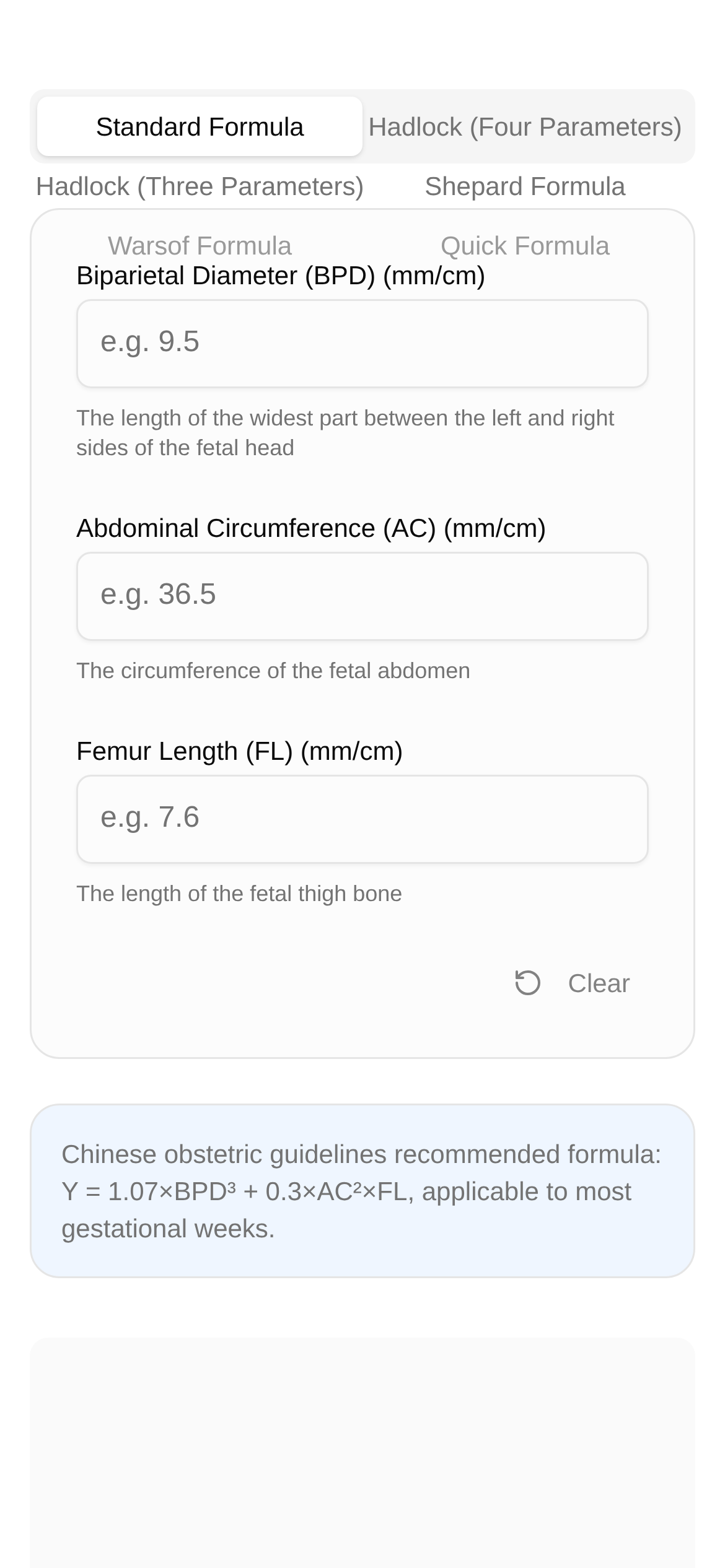
Taking Toolkk's fetal weight calculator as an example, it's incredibly easy to use:
- Open the page: Click the link to go directly to the fetal weight calculator page.
- Choose a formula: The tool usually offers several formulas to choose from. You can try the one your doctor recommends or whichever you prefer. If you're unsure, try them all and compare the results. I'll explain the characteristics and use cases of different formulas later.
- Enter ultrasound data: Take out your latest ultrasound report and accurately input values like Biparietal Diameter (BPD), Abdominal Circumference (AC), and Femur Length (FL). Some formulas may also require Head Circumference (HC).
- Click calculate: Once the data is entered, click "Calculate" to instantly see the estimated fetal weight.
Quick Tip: Double-check your data when entering it. Typos will lead to inaccurate results.
FAQ: What Are the Differences Between These Formulas?
The accuracy of a fetal weight calculator largely depends on the reliability of the formula you choose. There are many commonly used fetal weight estimation formulas today, each with its own strengths and limitations.
-
Hadlock Formula: This is the most widely used formula in clinical practice and is generally considered the most accurate. It typically combines several parameters like BPD, HC, AC, and FL for a comprehensive assessment. There are multiple versions of the Hadlock formula (e.g., Hadlock 1-4), using different numbers of parameters. Pros: Highly accurate with a broad application range. Cons: Requires multiple parameters and demands high precision in ultrasound measurements.
-
Shepard Formula: This primarily uses BPD and AC. When other parameters are hard to measure, the Shepard formula can provide a rough estimate. Pros: Requires fewer parameters and is easier to use. Cons: May be less accurate than multi-parameter formulas, especially if the baby's development is atypical.
-
Hansmann Formula: This is an older formula that also typically combines BPD and AC. Pros: Has a long history and is still used in some regions. Cons: May not adapt as well to different gestational ages and fetal sizes as the Hadlock formula.
-
Campbell Formula: This relies solely on AC for estimation. Pros: Can provide an estimate even if you only have AC data. Cons: Using only one parameter can lead to a larger margin of error.
So, are fetal weight calculators actually accurate? Overall, the results provided by the calculator are just estimates; they are not 100% precise. Accuracy is affected by several factors, such as:
- Ultrasound measurement errors: Ultrasound measurements can be influenced by the doctor's experience, equipment quality, and the baby's position, which inevitably introduces some error.
- Formula limitations: Every formula is built on statistical models and cannot account for the individual differences of every single baby.
- Gestational age and baby size: In the first and second trimesters, differences in baby size are small, making estimates relatively accurate. By the third trimester, individual differences increase, which can widen the margin of error.
How to choose a formula? In practice, I recommend prioritizing the Hadlock formula, especially the versions that use multiple parameters (BPD, HC, AC, FL). Because it accounts for the development of the baby's head, abdomen, and limbs, the results tend to be more reliable. If you simply cannot get certain parameters, settling for a formula with fewer parameters is an acceptable alternative.
My Summary and Final Tips
A fetal weight calculator is indeed a handy little tool that gives expecting mothers a preliminary understanding of their baby's weight. However, please remember that the results from this calculator are for reference only and can never replace professional medical diagnosis and advice. All pregnancy management and decisions must be guided by a professional assessment from your obstetrician. If you have any concerns about your baby's weight, talk to your doctor immediately. They will provide the most professional advice based on a comprehensive evaluation of your ultrasound data, medical history, and clinical exams.