

Tool Interface Preview
Random Denmark Address Generator
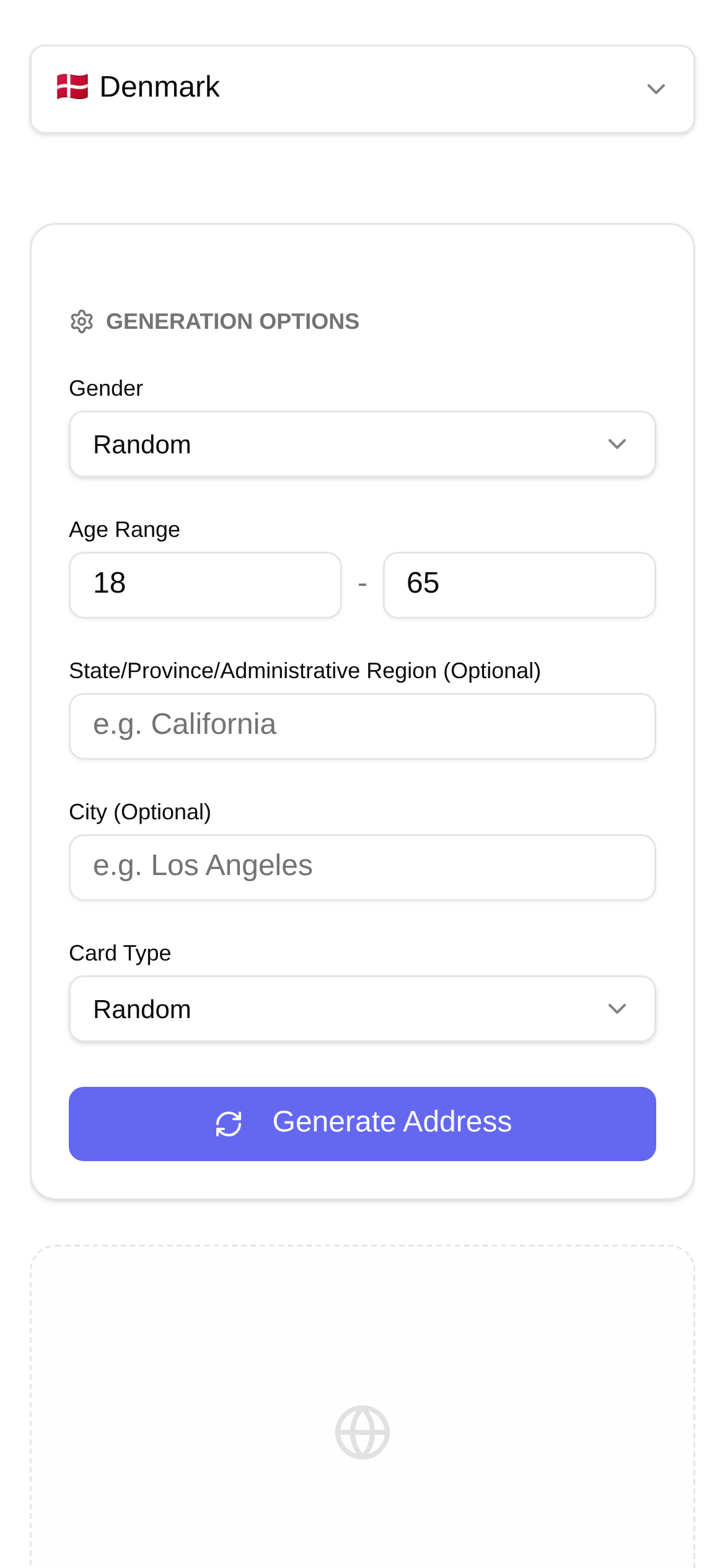
Handling internationalized data, especially when encountering Nordic countries with unique address formats like Denmark, is a major challenge during data entry and system testing. We are used to the standard "state, city, street, house number" routine, but Danish addresses have their own distinct structure and conventions. Today, I'll explain exactly how Danish addresses work and share a super practical tool guaranteed to double your efficiency when handling Danish address data.
Why Do You Need to Understand Danish Address Formats?
Think about it: whether you're developing an e-commerce platform or logistics system for Danish users, or conducting market research and data analysis, the accuracy of Danish addresses directly impacts data quality and user experience. If an address is wrong, packages might not be delivered, system validations could fail, and even business decisions might be affected. For data entry clerks, understanding these formats helps you avoid detours and wasted effort. For software QA engineers, mastering the characteristics of Danish addresses is foundational for writing effective test cases and validating a system's internationalization capabilities.
What Do Danish Addresses Look Like? A Breakdown of the Standard
Danish addresses generally follow this sequence:
- Recipient Name: This is usually placed on the first line of the address.
- Street Address: This includes the street name and house number. If there is a floor or room number, it is also included here. For example:
Østerbrogade 123, 4. sal, tv.(123 Østerbrogade, 4th floor, left).- House Number and Floor/Room Number: The house number immediately follows the street name. Floor information (like
st.for ground floor,1. salfor 1st floor) and room location (liketv.for left,mf.for middle,th.for right) might be abbreviated, following the house number and separated by commas.
- House Number and Floor/Room Number: The house number immediately follows the street name. Floor information (like
- Postal Code and City: The postal code is a four-digit number written before the city name. For example:
2100 København Ø(2100 Copenhagen Ø).- City Suffixes: Some city names are followed by directional suffixes, such as
Ø(Øst, East),N(Nord, North),S(Syd, South), andV(Vest, West). This is primarily to distinguish different areas within the same city.
- City Suffixes: Some city names are followed by directional suffixes, such as
- Country: Usually written as
DenmarkorDanmark.
Let's look at a complete Danish address example:
Jens Hansen
Nørregade 15, 2. sal, mf.
1165 København K
Denmark
Stop Making Up Addresses Manually! This Random Denmark Address Generator is a Lifesaver!
Faced with such complex Danish address formats, if you're still manually making up test data, your efficiency will suffer, and the generated data might not be realistic or diverse. This is where a professional random Danish address generation tool becomes especially important. I highly recommend using the "Random Denmark Address Generator".
What Can This Tool Do?
The best part about this tool is that it can generate authentically formatted virtual Danish addresses. It simulates the real structure of Danish addresses—streets, house numbers, postal codes, cities, etc., are all clearly laid out, ensuring the generated data complies with Danish address standards. Whether you need a massive batch of mock data for performance testing or just a few realistic-looking addresses for functional validation, it has you covered.
When Should You Use It?
- Development and Testing: During the development phase, you often need a large volume of authentically formatted Danish addresses to test form validation, address parsing, and database storage. For example, testing the shipping address input on an e-commerce site or the address matching logic in a logistics system.
- Data Simulation: When you don't have real customer data, generating virtual addresses for demonstrations, prototyping, or internal training is incredibly convenient.
- Privacy Protection: Need to showcase data structures without exposing real user privacy? Using virtual addresses is the best choice.
- Internationalization Compatibility Testing: Verify whether your system can correctly process and display address formats from different countries, especially those with unique standards like Denmark.
How to Use It? Super Simple!
Using the "Random Denmark Address Generator" is genuinely simple and intuitive:
- Open the Tool: Enter this URL in your browser: https://www.toolkk.com/tools/random-denmark-address-generator.
- Click Generate: Once the page loads, you'll see a clean interface. Just click the "Generate" button on the page.
- Get Your Addresses: The tool will instantly display one or more properly formatted virtual Danish addresses on the screen. Simply copy them and use them in your data entry or testing scenarios.
This tool is effortless to use and doesn't require registration or login. If you want to quickly get Danish test addresses, it is your ideal choice. Compared to manually making them up or searching for scattered examples online, it can significantly boost your work efficiency while guaranteeing address validity.
Common Questions and Considerations
- Address "Authenticity": Keep in mind that the addresses generated by this tool are "authentically formatted" virtual addresses, not real addresses that can actually receive mail. They merely follow Danish address structural rules but have no connection to specific real-world locations. Therefore, never use these addresses to send mail or in scenarios requiring real geographical locations.
- Data Volume Requirements: If you need a lot of addresses, you can click the generate button multiple times, or check if the tool offers a bulk generation option (currently, this tool primarily generates single addresses, but it's fast enough for repeated use).
- Comparing with Existing Systems: It's recommended to compare the generated addresses with known Danish address samples in your existing system or business to check for formatting accuracy and compatibility. This helps you identify potential parsing or display issues.
- Don't Forget Long-Tail Keywords: When testing with this tool, don't forget to test "long-tail" addresses containing special characters, ultra-long street names, or complex floor information to ensure your system is robust enough. For example, try generating addresses with special Danish letters (like
æ,ø,å) to see how the system handles them.
Summary
Understanding Danish address formats is a crucial step in handling internationalized data. Through what I've explained above, along with the recommended "Random Denmark Address Generator", I believe you'll be more confident and efficient when handling Danish-related data entry and system testing in the future. Remember, this tool is primarily for development, testing, and simulation, providing authentically formatted virtual addresses. Do not use them in any actual business operations requiring real geographical locations. Make good use of tools to improve efficiency, and your internationalization projects will undoubtedly go more smoothly!
The content of this article is for reference and learning purposes only and does not represent any professional advice. When conducting any actual business operations or data processing involving personal privacy, please be sure to consult professionals or follow local laws and regulations.