

Tool Interface Preview
Video Style Transfer
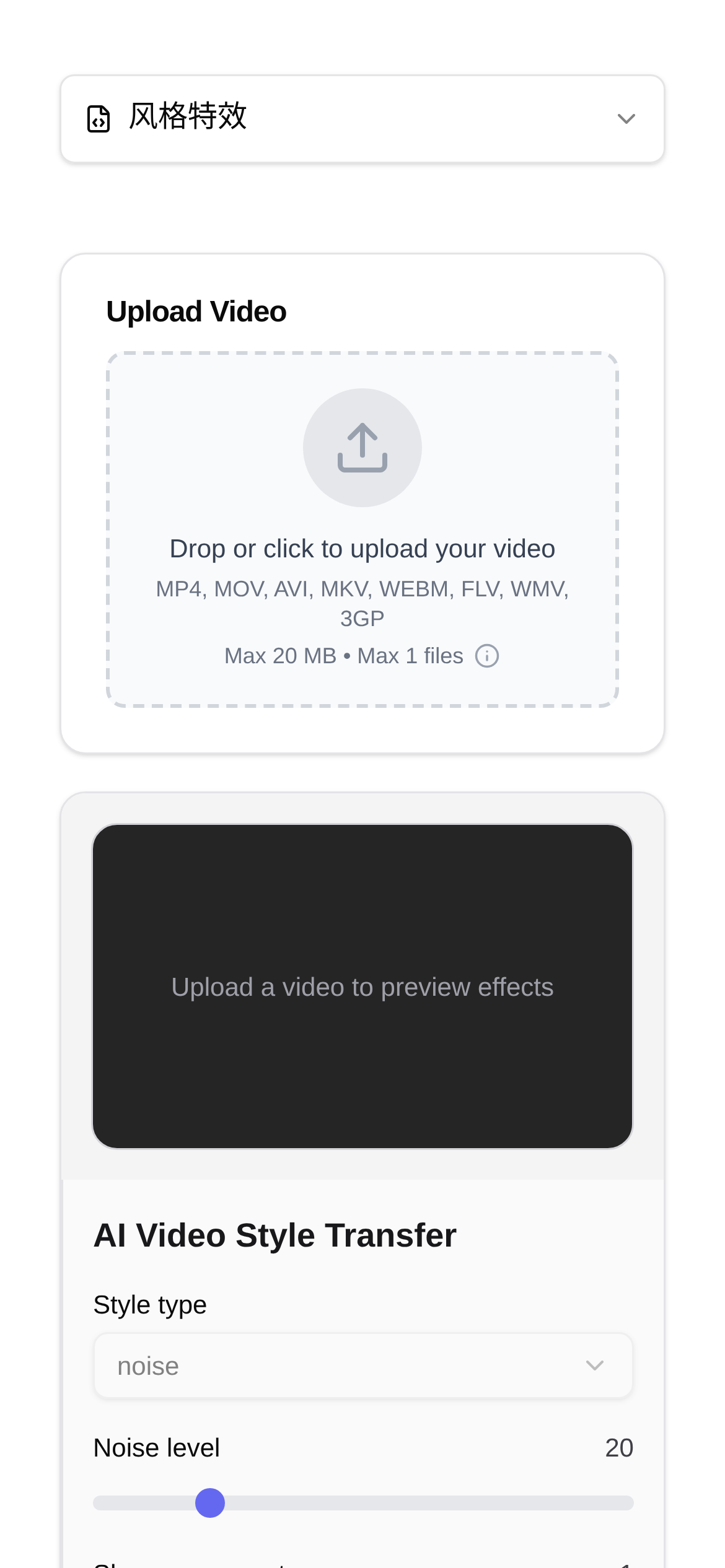
As a new media creator, have you ever wondered how to instantly give your vlogs a cinematic feel or a unique, artistic vibe? In the past, achieving an artistic style like a Van Gogh oil painting or a watercolor required serious skills and a lot of time, even with the most powerful video editing software. For most of us, the barrier to entry was just too high. Today, let's talk about the magic of AI Video Style Transfer, how it turns your creative ideas into reality, and how you can use a simple tool to easily achieve a "one-click Van Gogh" effect.
At its core, AI video style transfer relies on deep learning neural networks working behind the scenes. Simply put, the AI first learns the stylistic features of a massive number of artworks and then "applies" these features to your video content. It's not just slapping on a simple filter; it deeply analyzes details like textures, colors, lighting, and brushstrokes in your video, blending them with the characteristics of the target art style to produce a brand-new, highly artistic video. This technology has significantly lowered the barrier to artistic creation, allowing everyone to become the "artist" of their own videos.
Beyond Van Gogh: Video Style Transfer is Richer Than You Think
Have you ever imagined your travel vlog as more than just a simple record, but filled with the romantic colors of Impressionism? Or your food tutorial, instead of being straightforward, having the dynamic bounce of a comic book? This is exactly the kind of surprise AI video style transfer tools can bring you. These tools typically offer a variety of preset art styles, such as:
- Classic Art Styles: Masterpieces from Van Gogh, Monet, and Picasso are all at your fingertips.
- Cartoon and Comic Styles: Instantly transform your live-action videos into anime or cartoon effects.
- Cinematic Film Styles: Easily simulate the unique color grading and grain of vintage movies.
- Abstract Art Styles: Create one-of-a-kind visual effects to make your videos stand out.
These styles aren't just for the entire video. Some advanced tools even allow for localized style transfer, massively expanding your creative possibilities.
Who is this AI Tool For?
So, who can actually benefit from this "Video Style Transfer" tool?
- Vloggers and Short Video Creators: Those looking to quickly boost their video's visual appeal and stand out in a sea of homogenous content.
- Art Enthusiasts and Designers: Those wanting to explore new artistic expressions and add more creativity to their work.
- Educators: Those aiming to create engaging and fun instructional videos to keep students interested.
- Everyday Users: Anyone who simply wants to add a special artistic touch to their home videos or travel memories.
Whether for personal fun or commercial use, AI video style transfer can help you effortlessly produce high-quality visual effects.
One-Click Van Gogh: It's That Simple
Next, let's use the Video Style Transfer tool as an example to show you step-by-step how to turn your vlog into a Van Gogh painting:
- Find the Tool: Open your browser and go to Video Style Transfer. This is an AI-based tool specifically designed for video art style migration. It offers plenty of special effect filters and features a clean, user-friendly interface.
- Upload Your Video: Click the "Upload Video" button on the page and select the video file from your computer that you want to stylize. A quick tip: for the best results, choose a video with clear image quality and a relatively short duration.
- Choose a Style: Browse the tool's style library and find your favorite art style, such as "Van Gogh Oil Painting." Of course, you can also try other styles like "Watercolor" or "Sketch" and preview the effects first.
- Start the Transfer: Once you've selected a style, click "Start Transfer" or a similar button. The AI server will begin processing your video. This process may take anywhere from a few minutes to over ten minutes, depending on the length of your video and server load.
- Download Your Work: As soon as the transfer is complete, you'll see the final result. If you're satisfied, click the "Download" button to save your Van Gogh-style vlog to your local device.
The entire process is incredibly intuitive. Even if you've never edited a video before, you can easily get the hang of it. As for the question of "how to use video style transfer," you should now have a pretty clear idea.
Potential Issues and Things to Keep in Mind
- Processing Time: Sometimes, "Video Style Transfer" can be a bit slow. This is normal because the AI model has to perform complex calculations for every single frame of the video. Just be patient, or try operating it when your internet connection is strong.
- Video Quality: To get the best results, it's recommended to upload high-resolution, high-framerate videos. Videos with poor image quality might lose details during the transfer or develop strange artifacts.
- Style Selection: Different video contents suit different art styles. For example, landscapes might look better with Impressionism, while close-ups of people might look fantastic in a cartoon style. Try out multiple styles to find the perfect match for your video.
- File Size: The stylized video file might end up larger or smaller than the original. If you have strict file size requirements, you can process the downloaded video with a video compression tool.
- Privacy and Security: When using any online tool, always be mindful of your personal privacy and data security. Try to choose reputable platforms with clear privacy policies.
With this "Video Style Transfer" tool, you no longer need to struggle with complex software and professional skills to effortlessly turn your vlog into a piece of captivating art. Go give it a try and let your videos be reborn under the "magic" of AI!
(This content is for reference only and does not replace professional advice.)