

Tool Interface Preview
Square Area Calculator
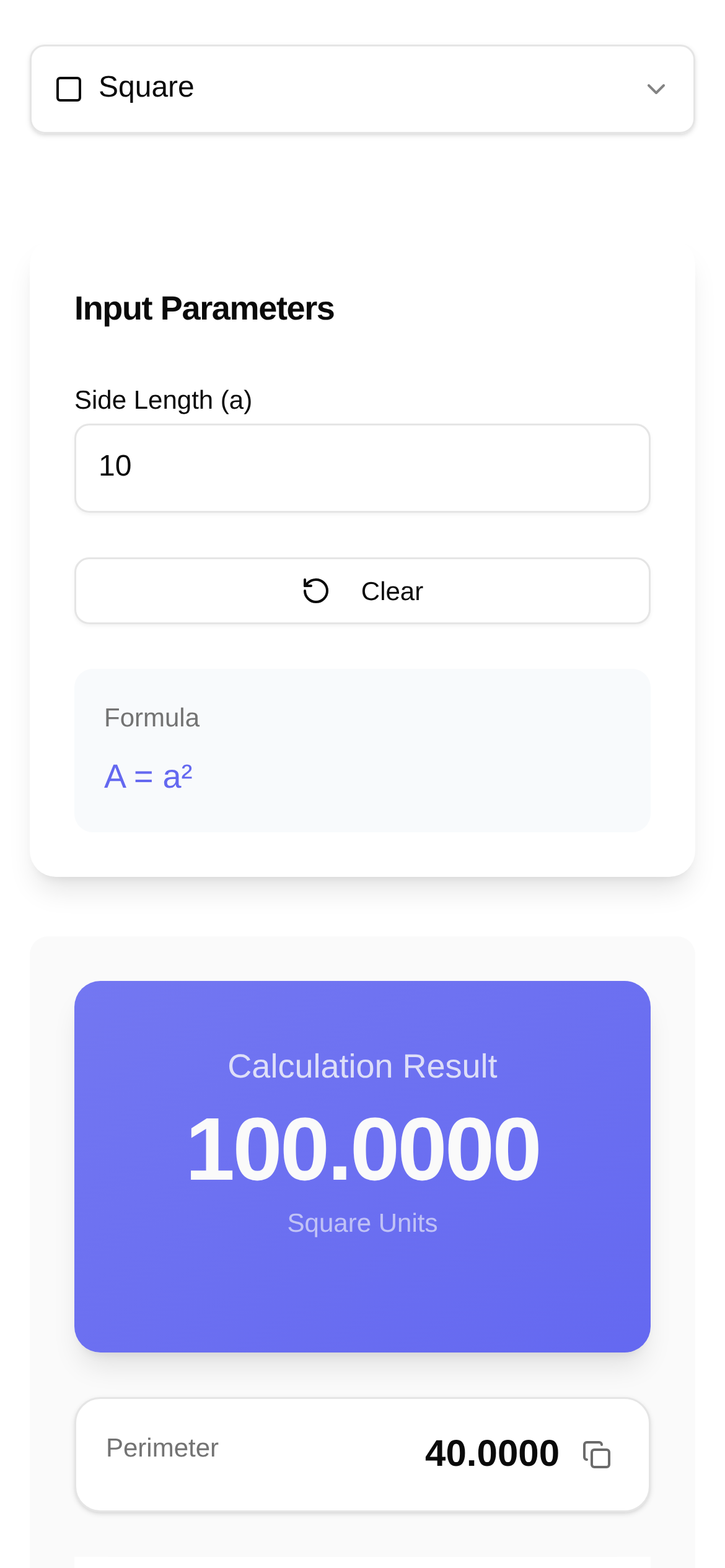
Still struggling with square area calculations? Sure, "side times side" sounds simple, but when you throw in decimals, fractions, or need to figure out the perimeter and unit conversions at the same time, it can drive you crazy. Whether you're a student doing homework or an engineer rushing a design draft, calculating by hand is slow and prone to errors. Today, I'm going to share some incredibly useful online tools that will help you say goodbye to manual calculations and instantly boost your efficiency!
One-Click Solutions: Say Goodbye to the Hassle
In the past, calculating the area of a square was just a straightforward "side × side." But once you encounter decimals, fractions, or need to simultaneously calculate the perimeter and convert units, manual math becomes a real chore. These online tools are lifesavers. They typically come with these core features:
- Area Calculation: Enter the side length, and the area result appears instantly.
- Perimeter Calculation: It calculates the perimeter alongside the area, saving you an extra step.
- Unit Conversion: Centimeters, meters, kilometers, inches... it handles various units to meet your specific needs.
- History Records: Some tools thoughtfully save your calculation history, making it easy to review and verify at any time.
Who Needs It? More People Than You Think
You might be wondering, "It's just the area of a square, do I really need a tool for that?" Honestly, yes! These tools help a much wider range of people and professions than you might expect:
- Students: Perfect for elementary and middle school math homework. You can quickly check your answers and improve your study efficiency.
- Designers and Engineers: Whether it's architectural design, landscape planning, interior decoration, or mechanical drafting, you need precise calculations for material usage and site areas to avoid costly errors.
- Real Estate Professionals: Quickly calculate house and land areas to provide clients with accurate and reliable information.
- DIY Enthusiasts: Precise dimension calculations are essential for crafting, cutting fabric, or planning garden beds.
- Anyone needing quick, accurate square area calculations: From calculating tiles for home renovations to planning sowing areas for farmland, it comes in handy everywhere.
Three Foolproof Steps to Get It Done
Take my highly recommended Square Area Calculator as an example. The process is so simple you could do it with your eyes closed:
- Open the tool: Just type the link https://www.toolkk.com/tools/square-area-calculator into your browser. Alternatively, you can search for "square area calculator" to find similar tools.
- Enter the side length: Type the side length of your square into the input box. For example, if you want to calculate the area of a square with a side length of 5, just enter "5".
- View the results: Click the "Calculate" button (or press Enter), and the tool will instantly display both the area and perimeter of the square.
Super simple, right? You'll never have to scratch your head asking "how to use a square area calculator" again!
FAQ: Clearing Up Your Doubts
Q1: What's the real difference between using an online tool and calculating by hand?
A1: The main differences are efficiency and accuracy. Online tools provide instant results and effectively prevent calculation errors, especially with complex numbers. Manual calculation simply takes more time and effort.
Q2: Can it calculate the area of shapes other than squares?
A2: Absolutely! There are many comprehensive geometric calculators available that can calculate the area and perimeter of triangles, circles, rectangles, and more. You can search for "geometric area calculator" to find them.
Q3: Who are these tools designed for?
A3: As mentioned earlier, they are for anyone from students to professionals. If you need to calculate square areas quickly and accurately, it's for you. It's a godsend for those who require high precision or need to perform frequent calculations.
Q4: Are there comparisons of square area calculators? Which one is the best?
A4: Most square area calculators on the market offer similar core functions. The main differences lie in the UI design, extra features (like unit conversion or history logs), and the amount of ads. The Square Area Calculator I recommend has a very clean interface and practical features that are more than enough for daily use. You can choose one based on your personal preference.
Q5: Is there anything I should pay attention to when using these tools?
A5: The most important thing is to ensure your input values are correct. If your side length units vary, remember to select the correct unit in the tool or convert them yourself first. Also, pay attention to your regional input habits regarding decimal points and commas.
Smarter Calculations for an Easier Life
It's time to say goodbye to the old-school method of calculating square areas by hand! Using these convenient online tools not only significantly boosts your study and work efficiency but also prevents embarrassing mistakes caused by calculation errors. Whether you're a student, a designer, or anyone who needs precise calculations, having a handy tool like this is a must. Go ahead and give it a try—it's guaranteed to give your calculation experience a major upgrade!