

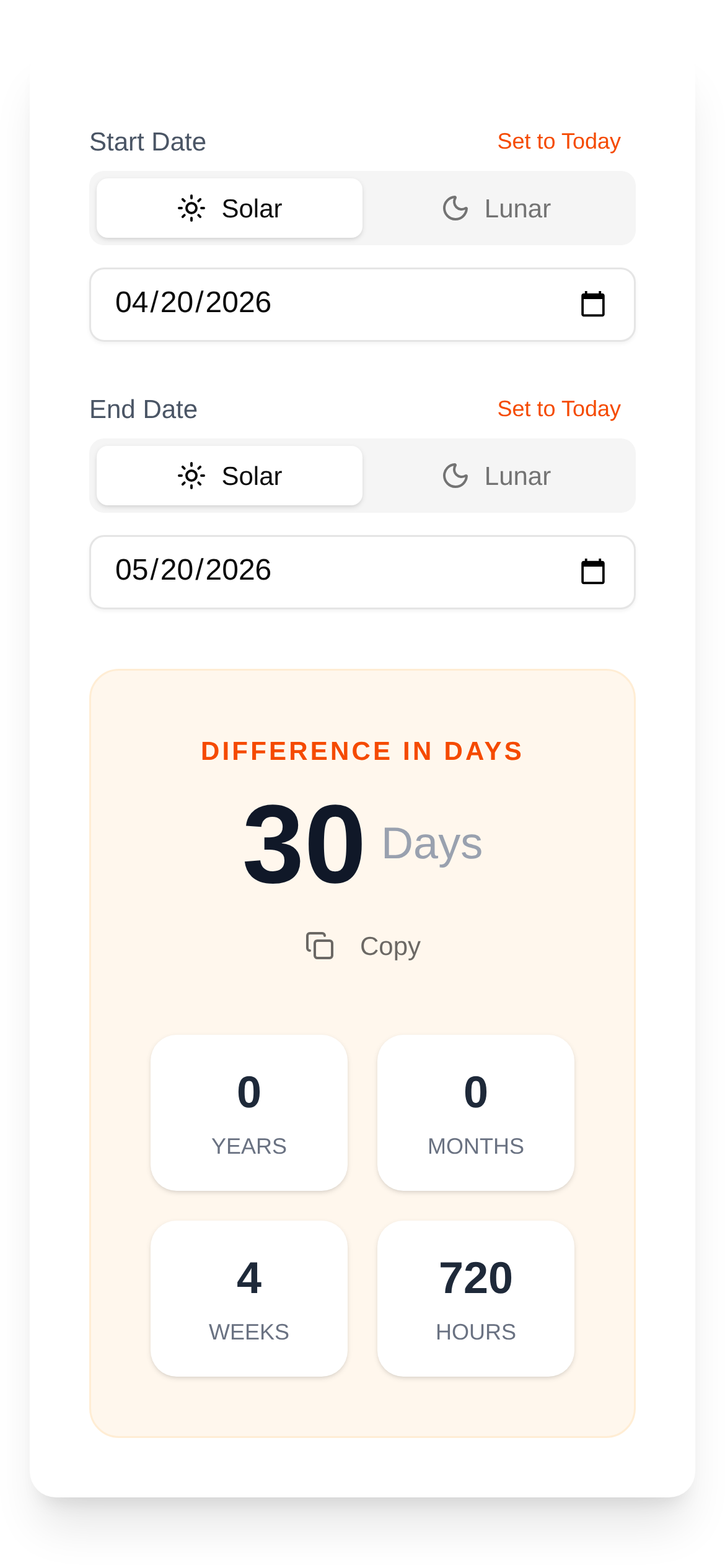
Tool Interface Preview
Date Difference Calculator
Hey everyone!
Have you ever had one of those frustrating moments: your boss suddenly asks how many days are left until a project is due? Or maybe you want to know exactly how many days you and your significant other have been together? Or perhaps you're just curious about the exact time between two important dates? Honestly, if you have to count the days manually, especially when dealing with leap years and months with different numbers of days, it can give you a major headache. Today, we're going to talk about how to calculate date differences manually, and why you'll ultimately realize that having a good tool is an absolute lifesaver!
Figuring Out Date Differences: Sounds Simple, But It's Not That Easy
Manually calculating the difference between dates is essentially just adding and subtracting step by step. Sounds simple, right? But in practice, you'll find there are quite a few pitfalls. We usually start with years, months, and days. For example, let's say you want to calculate how many days there are between January 1, 2023, and March 15, 2024.
Here is the general approach:
- First, calculate the full year: 2023 is a common year with 365 days.
- Next, calculate the full months: January 2024 has 31 days, and February has 29 days (don't forget that 2024 is a leap year!).
- Finally, add the remaining days: There are 15 days in March 2024.
- Add them all up: 365 + 31 + 29 + 15 = 440 days.
As you can see, this is just a simple example. If the date span is larger, or if you need to be accurate down to the hour, minute, and second, the difficulty of manual calculation increases exponentially.
How do you determine leap years? Every month has a different number of days! And then there are time zones! These are the areas where we are most likely to stumble when calculating manually. For instance, the year 2000 is a leap year, but 2100 is not. With all these convoluted rules, unless you're a walking calendar, you're bound to make a mistake. Therefore, relying purely on manual methods to get an accurate date difference will often drive you crazy.
Date Difference Calculations Have a Wide Range of Uses
Accurately calculating date differences is incredibly useful in both our work and daily lives:
- Project Management: Calculate how long until a project is completed or how many days are left until a task deadline.
- Anniversaries: Check how many days, months, or years have passed since dating, getting married, or a birthday.
- Finance: Calculate deposit cycles, when loans are due, and how to calculate interest.
- Human Resources: Calculate employee tenure and the interval between onboarding and offboarding—something HR professionals definitely need.
- Travel: Plan how many days a trip will take and how long a visa is valid for.
- Data Analysis: Figure out the time intervals between different events when processing time data.
Whether you're calculating "how many days since getting married" or "how many days left for a project," accuracy is always the top priority.
Say Goodbye to the Hassle: It's Time to Bring in Some Help
Since manual calculation is so tedious and prone to errors, is there a hassle-free and accurate method? Of course! By using professional online tools, we can easily handle all the trouble of calculating date differences. Here, I highly recommend a fantastic tool: the Date Difference Calculator.
Tool Name: Date Difference Calculator
Brief Overview: This tool is specifically designed to calculate the time difference between two dates. Not only can it tell you the years, months, weeks, and days, but it can even break it down into hours, minutes, and seconds. Whether you're a project manager, planning a surprise anniversary, or just need an "ultra-precise" date difference result, it has you covered. You never have to worry about "how to use this thing" because its interface is incredibly intuitive—even beginners will understand it instantly.
Get It Done in a Snap with the Date Difference Calculator
Using this Date Difference Calculator couldn't be simpler. Let's take a look at how it works together:
- Access the Tool: First, open this link https://www.toolkk.com/tools/date-diff-calculator to go directly to the calculator page.
- Select a Start Date: Under "Start Date" or "Date 1," click the calendar icon to select, or directly type in your desired starting date (make sure the year, month, and day are all set).
- Select an End Date: Similarly, under "End Date" or "Date 2," select or enter your end date.
- Click Calculate: Once you've confirmed both dates are correct, go ahead and click the "Calculate" button on the page.
- View the Results: Ta-da! The tool will immediately display a clear breakdown of the time difference between the two dates below, including years, months, weeks, and days, right down to hours, minutes, and seconds. Want to know the "total number of days"? It tells you that too, along with even more granular units.
The whole process is lightning fast, and even if it's your first time using it, you'll get the hang of it effortlessly.
A Few Quick Tips You Might Find Useful
- No Need to Worry About Leap Years: This date difference calculator automatically handles leap years for you, so you don't have to stress about it at all. Keep in mind, this is the most common place to make mistakes when calculating manually, which is exactly what makes this tool so powerful.
- How Much Precision Do You Need?: If you need a time difference accurate to the second, remember to select or enter the hours, minutes, and seconds when choosing your dates.
- Time Zone Considerations: If the two dates you are calculating involve different time zones, note that this tool may default to your current local time zone. In special cases, you might need to adjust it yourself or factor in time zone conversions.
- Why Choose This Tool?: Compared to basic calculators on the market, this tool is vastly superior in terms of accuracy and unit selection, making it capable of meeting more professional needs.
Having read this far, do you have a deeper understanding of the complexities of calculating date differences manually, and have you discovered the power of professional tools? The next time you need to calculate a date difference, don't hesitate—just try this Date Difference Calculator. It's guaranteed to make your work and life more efficient and accurate!