

Tool Interface Preview
Date Difference Calculator
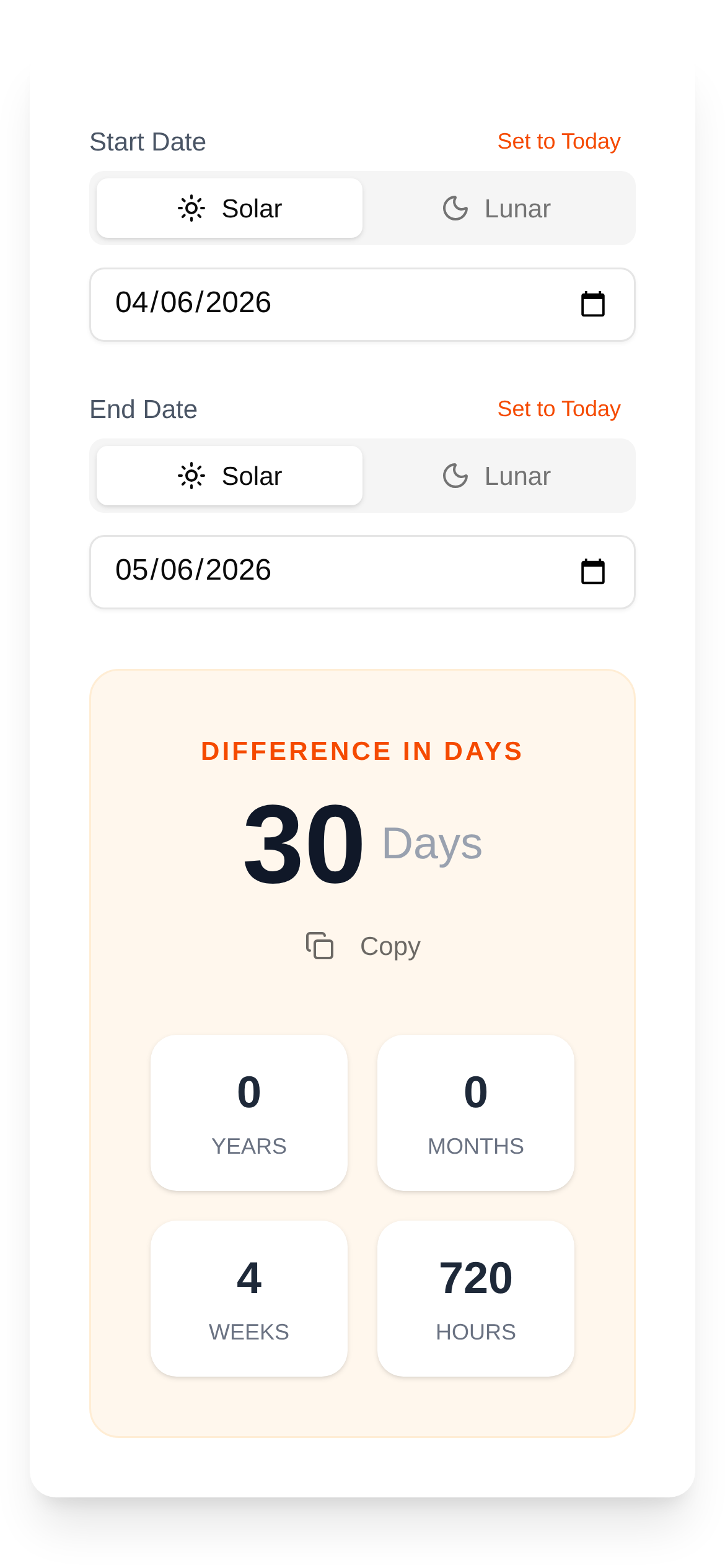
In our daily work and life, we often deal with dates. For example, how many days are left until a project wraps up? How long has it been since your anniversary? How much time until your child's birthday? Calculating these manually is not only slow but also prone to errors. Today, I want to recommend an incredibly useful online tool—the Date Difference Calculator. With it, those headache-inducing calculations are a thing of the past, and you get results in seconds!
Key Features: Calculate Days and Down to the Exact Second!
Don't underestimate this Date Difference Calculator. It can accurately calculate the time difference between two specific dates, displaying the results in years, months, weeks, days, hours, minutes, and even seconds! Whether you need a rough estimate or an exact time down to the second, it has you covered. If you're searching for "how to use a date difference calculator" or "which online date calculator is the best," you should definitely give this a try.
Who Is This For?
The use cases for this online date calculator are incredibly broad. If you need to calculate a time difference, it will come in handy:
- Project Management: How long is it from project kickoff to completion? How many days until the deadline? Get clear, at-a-glance answers.
- Anniversaries: Want to know how many days have passed since a special milestone with your partner, friends, or family? Or how long until the next anniversary? It handles this effortlessly.
- Contract Management: How many days between a contract's effective date and expiration? Set easy reminders so you never miss a deadline.
- Financial Planning: Easily calculate investment cycles, loan terms, and more.
- Birthday Countdowns: How many days until a friend or family member's birthday? Prepare surprises with ease.
- Fitness Tracking: How many days have you stuck to your workout routine? Give yourself a reason to keep pushing.
So, whether you're wondering "who needs a date difference calculator" or "how to calculate the interval between two dates," this tool provides the perfect solution.
Easy to Use: Calculate Time Differences in 3 Steps!
The interface of this Date Difference Calculator is designed to be clean and intuitive, making it easy for first-time users. Here is a step-by-step guide:
- Open the Tool: Use any web browser and click here to access the Date Difference Calculator.
- Select Your Dates: You will see fields for "Start Date" and "End Date." Click on them to open the calendar and choose your desired dates. You can even input the exact hour, minute, and second for ultimate precision.
- View the Results: Once you select the dates, the tool automatically calculates the time difference and displays it clearly in years, months, weeks, days, hours, minutes, and seconds. There's no need to click a "calculate" button—the results appear in real-time, making it the epitome of a "fast and convenient date calculator."
FAQ: Tips for Using the Date Difference Calculator
-
Q: Does the result include the start date? A: It calculates the "complete" time interval between two dates. For example, from January 1st to January 2nd, the result is typically 1 day. If you need to include both the start and end dates (inclusive), you may need to manually add 1 day to the result.
-
Q: Can this tool calculate future dates? A: Absolutely! You can set a future date as the end date to see how much time is left until then. For instance, if you want to know how many days are left until a holiday three years from now, just set the date and find out.
-
Q: What makes this different from other "date calculator websites"? A: Its biggest advantages are its high precision (down to the second), multiple unit options (displays years, months, weeks, days, hours, minutes, and seconds), clean interface, and the fact that it is free to use with no registration required. If you're comparing online date difference calculators, you'll definitely appreciate its smooth experience.
-
Q: Is there anything I should keep in mind when using it? A: Remember that the start date should ideally be earlier than or equal to the end date. However, even if you enter them in reverse, the tool will still display the correct absolute time difference—you'll just need to interpret the context yourself.
We hope this "Date Difference Calculator Guide" helps you use this handy tool more effectively, boosting your productivity and making life a little easier! The next time you find yourself struggling with date math, don't forget to try out the Date Difference Calculator!