

Tool Interface Preview
Video Style Transfer
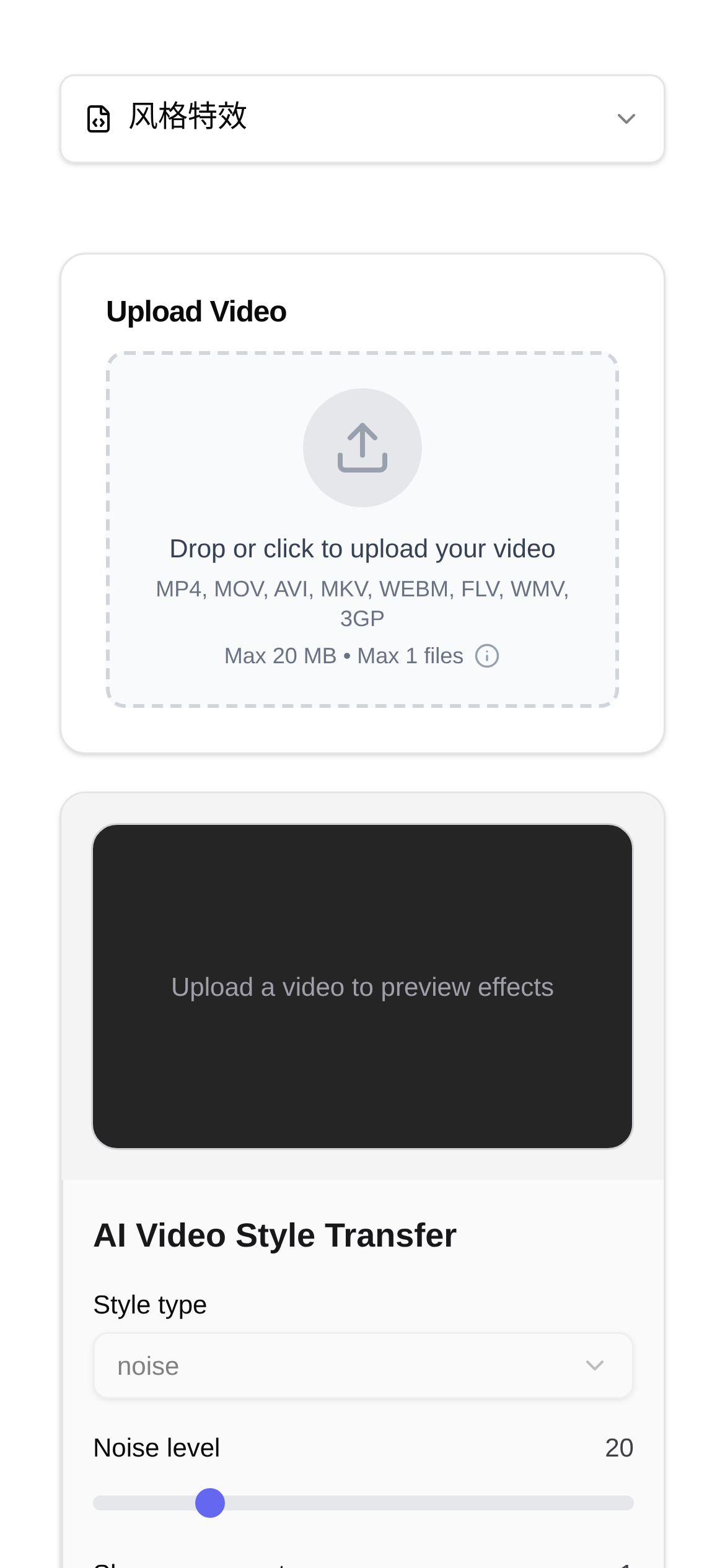
In today's explosion of short video content, having good ideas isn't enough to make your work stand out from the crowd; visual impact is becoming increasingly crucial. The emergence of AI video effects tools has been a game-changer for content creators. Today, I'm going to talk about a few popular AI video effects tools to see which one can instantly turn your short videos into cinematic blockbusters and make you the center of attention on your social feeds!
Why Do I Need AI Video Effects?
Back in the day, the barrier to creating video effects was intimidatingly high. It was time-consuming and required mastery of various professional software and techniques. But AI video effects tools are completely different—they have drastically lowered these barriers. Powered by smart algorithms, even video editing beginners can quickly add cinematic and artistic visual effects to their videos. Simply put, they help us:
- Make videos more eye-catching: Unique styles and effects can instantly grab the audience's attention and make them stop scrolling to watch.
- Enhance storytelling tension: Effects act like a filter for your video, better setting the mood and expressing your content's theme more effectively.
- Save time, money, and effort: You don't need expensive equipment or a professional team; a single person can produce high-quality videos.
- Unlock new creative possibilities: You can now easily experiment with visual styles you never thought possible, giving you unlimited creative freedom.
My Collection of Tried-and-Tested AI Video Effects Tools
1. Video Style Transfer: Turn Your Video into Art in a Second
This Video Style Transfer AI tool is an absolute favorite of mine! It can instantly transform ordinary videos into the styles of master painters like Van Gogh or Monet, or give them a cool cyberpunk or anime look. Its best feature is the incredibly rich style library and fast conversion speed. It can handle almost any artistic style you want to try. Whether you're turning live-action footage into an oil painting or a landscape video into an ink wash painting, it's a breeze.
When is it most effective to use?
- Attention Vloggers: Add an artistic touch to your travel or daily life vlogs to instantly make your videos feel more tasteful and premium.
- Short film and micro-movie creators: Process specific scenes or flashback sequences into a vintage film style to instantly create the perfect cinematic atmosphere.
- Marketing and promo teams: Create a uniquely styled corporate promo or product ad that will definitely stand out from the noise and attract potential customers more easily.
- Just for fun: Turn everyday clips like family gatherings or pet videos into interesting artworks to share with friends. It will definitely wow them and is super fun.
How do I usually use it?
- Find the tool: First, I open the Video Style Transfer page.
- Upload the video: Click the upload button and select the video file I want to process. I usually choose videos with a moderate resolution that aren't too long, which makes processing much faster and yields better results.
- Choose a style: I carefully pick an artistic style I like from the style library. The tool usually provides preview images, making the selection process much easier.
- Start conversion: Then I click the "Start Conversion" button, and the AI gets to work. The conversion time depends on the length of the video and the complexity of the chosen style.
- Download the artwork: Once converted, I preview it first. If I'm satisfied with the result, I download it directly.
What minor issues might I encounter when using it?
- Q: Why is the conversion taking so long?
- A: The larger and longer the video file, the longer the conversion will take. I usually try to optimize the video size or operate when the network is smooth. Some tools might also offer paid acceleration services, which you can consider if you're in a hurry.
- Q: What if I'm not satisfied with the converted video effect?
- A: Don't worry, try a different style. Some styles might just suit your video content better. Also, the quality of your original video is crucial; it's best to use a higher-resolution video for better results.
- Q: Are there any free trial opportunities?
- A: Most AI video effects tools offer some free trial credits or partially free features. You can test them out first and decide whether to pay if you find them useful.
2. Other AI Video Effects Tools (To be further explored and compared)
(Next, I will continue to share other AI video effects tools, such as those specialized in AI background removal, AI camera movement, and AI frame interpolation. I'll compare them with the "Video Style Transfer" tool mentioned above to see their unique skills and suitable scenarios, helping you make better choices.)
My Personal Thoughts and Future Outlook
AI video effects tools have developed incredibly fast in recent years. They haven't just lowered the barrier to video production; they've brought infinite possibilities to us creators. Whether you want to add an artistic touch to your vlog or create a cinematic blockbuster vibe for a short drama, I dare say there's always an AI tool that can meet your needs. When choosing a tool, besides looking at its features, you also need to consider how user-friendly it is, the final output quality, and, of course, the pricing model. I hope my sharing today helps you go further on your short video creation journey and produce truly viral, amazing work!
Disclaimer: The tools and information mentioned above are primarily based on my personal experience and reference materials, and do not represent any professional advice or endorsement. Before using any tool, be sure to carefully read its terms of service and privacy policy, and evaluate the risks yourself.