

Tool Interface Preview
Square Area Calculator
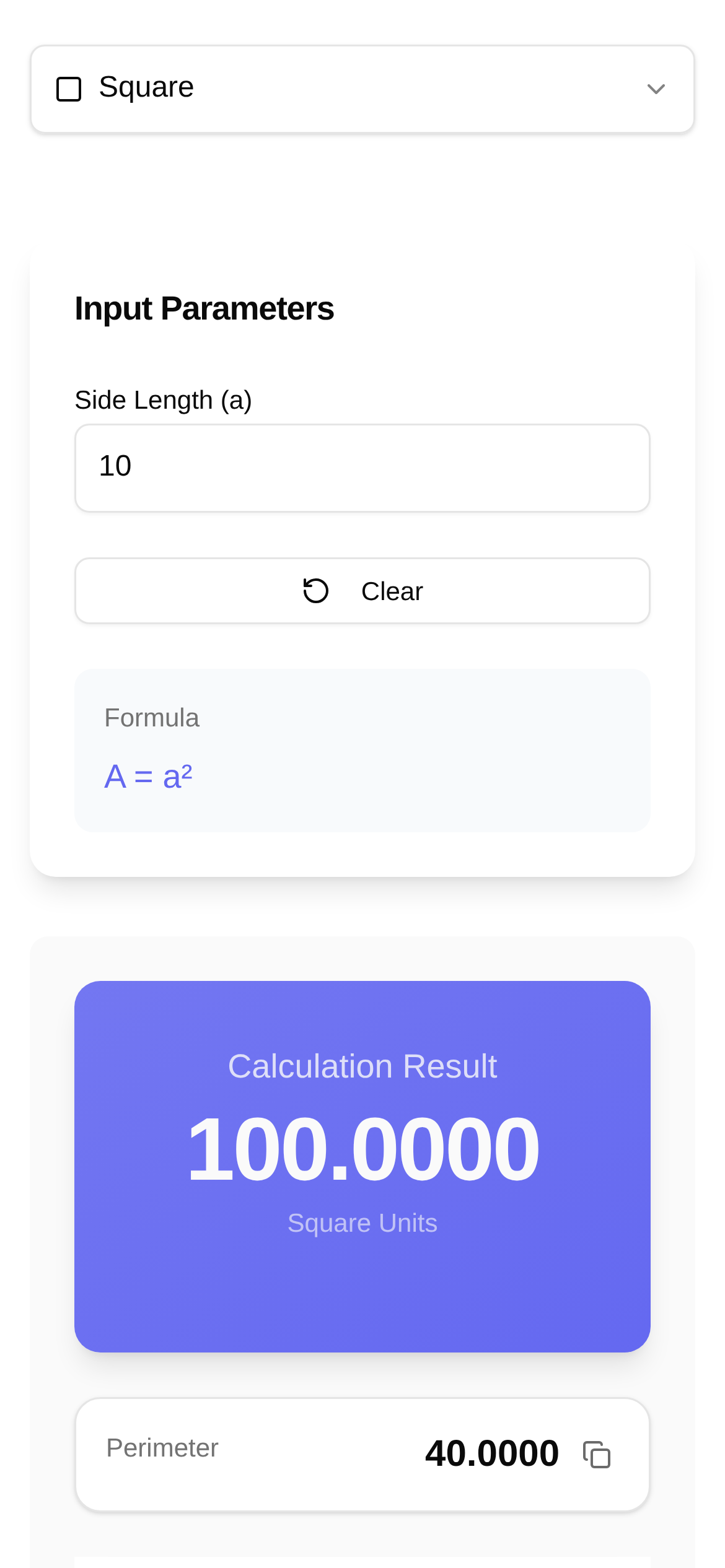
Hi everyone! Today, we're going to discuss a very common yet highly practical geometry topic in our daily lives: how to calculate the area of a square. While it may seem basic, learning how to use a square area calculator is incredibly useful—whether you're a student studying geometry, an engineer planning a site, or a DIY beginner figuring out how many tiles to buy. Plus, I've found a fantastic online tool for you that will make your calculations a breeze and significantly boost your efficiency!
Square Area: Keep It Simple!
A square is straightforward: all four sides are equal in length, and all four angles are perfect 90-degree right angles. Therefore, its area formula is very easy to remember:
Area = Side × Side
If you prefer using variables, it's: A = a × a, or more simply, A = a². Here, A stands for the area, and a represents the side length of the square.
For a real-life example, if you have a square flower bed with a side length of 5 meters, its area would be 5 meters × 5 meters = 25 square meters. Makes sense, right?
Besides area, a square also has a closely related property called "perimeter." The perimeter is the total length around the outside, and its formula is just as simple:
Perimeter = Side × 4
The variable version is: P = 4a, where P stands for perimeter.
Online Calculator: Say Goodbye to Manual Math and Get Instant Results!
While calculating the area of a square by hand isn't difficult, a handy online tool is a lifesaver when you have a lot of data, want to avoid manual errors, or just need quick results. Today, I highly recommend a tool called the "Square Area Calculator." The best part is that it calculates both the area and the perimeter simultaneously, making it incredibly convenient.
Here is the link, check it out now: https://www.toolkk.com/tools/square-area-calculator
I call this tool the "Square Area Calculator." It was designed to help everyone calculate the area and perimeter of a square quickly and accurately. The interface is very clean and user-friendly. Whether students are checking their homework, engineers are making preliminary estimates, or you just need to calculate something in your daily life, it's always ready to use.
How to Use the Square Area Calculator? A Step-by-Step Guide!
Using this online tool is unbelievably simple. Just follow these steps:
- Open the webpage: Click this link directly https://www.toolkk.com/tools/square-area-calculator to access the "Square Area Calculator" page.
- Enter the side length: You will see an input box labeled "Side Length." For example, if you want to calculate a square with a side length of 10 meters, just type "10" into the box.
- View the results: Here is the magic part—you don't even need to click a button. As soon as you enter the side length, the page instantly displays the "Area" and "Perimeter" numbers right in front of you.
When can you use it? Here are a few examples:
- Students: Checking geometry answers and deepening your understanding of area and perimeter.
- Engineers: Quickly estimating building foundations or room tiling areas, saving a lot of time.
- DIY & Home Improvement: Calculating how much wall paint, wallpaper, or flooring to buy, preventing material waste or shortages.
- Daily Life: For instance, measuring the area of your small garden or vegetable patch to plan planting zones.
Frequently Asked Questions
Q1: Can anyone use this square area calculator?
A1: Absolutely! As long as you need to calculate the area and perimeter of a square, it's for you. Students, teachers, construction engineers, designers, homeowners doing renovations, or anyone interested in geometry calculations can use it. It's not only a great companion for a "square area calculation tutorial" but also a highly practical example when you encounter questions like "how to use a square area calculator."
Q2: What are the benefits of using an online calculator compared to manual calculation?
A2: Online calculators are fast, accurate, and easy to operate. They help you perfectly avoid minor errors like typing the wrong number or miscalculating, which are common in manual math. This advantage is especially obvious when dealing with decimals or large numbers. Want to know how much efficiency a "square area calculator vs. manual math" comparison yields? Try it yourself and see.
Q3: Is there anything special to note when using the "Toolkk Square Area Calculator"?
A3: Nothing complicated. Just make sure the side length number you enter is correct. The tool itself is foolproof; you just need to ensure your input data is accurate. Currently, it focuses on squares. If you need to calculate the area of other shapes, you'll need to find dedicated tools for those.
Q4: Can it calculate anything else besides area and perimeter?
A4: Currently, this "Square Area Calculator" tool focuses primarily on area and perimeter. If you want to calculate more complex properties like the diagonal or the radius of an inscribed circle, you might need to apply your own geometry knowledge or find a more specialized tool.
Summary
Calculating the area of a square is arguably one of the most fundamental and core concepts in geometry. Mastering its formula and learning to use these convenient online tools will definitely skyrocket your study and work efficiency. I hope today's "Square Area Calculation Tutorial" and "Toolkk Square Area Calculator User Guide" have been helpful! Don't wait—click the link and try out this fast and convenient online tool now!
Friendly Reminder: The information provided here is mainly to educate you on basic knowledge and tool usage. It cannot replace professional math instruction or engineering calculation standards. If you are dealing with critical matters or making important decisions, it is always best to consult with a professional.