

Tool Interface Preview
File MD5 Modifier
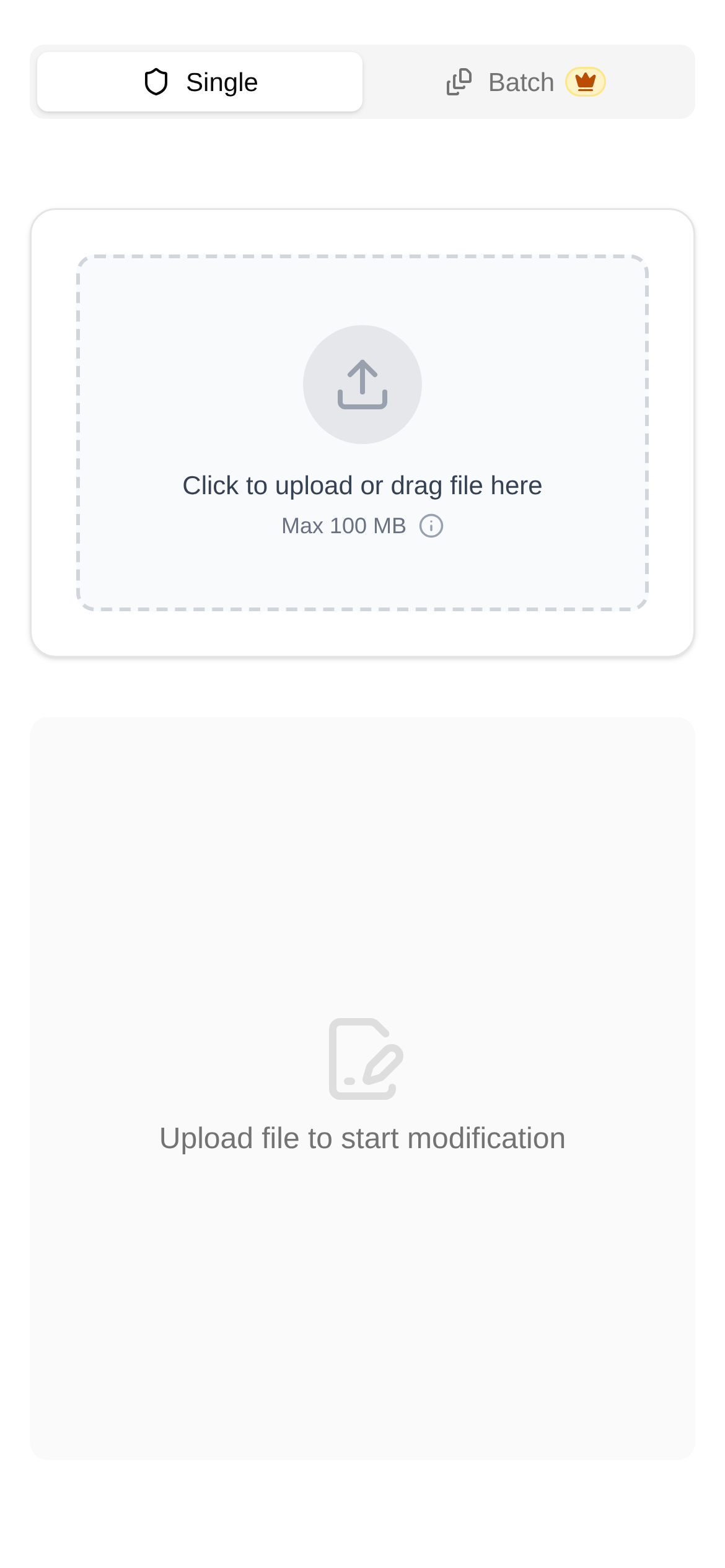
Have you ever run into this situation: it's clearly the exact same photo, but every time you download or upload it, its MD5 hash value is different? It can be quite confusing, and sometimes it even messes with file verification, web cache updates, or content recognition. Today, we're going to dive into the question, "Why does my image MD5 hash keep changing?" and share some practical solutions.
Image Hashes: Your Picture's "ID Number"
First, let's clarify what an MD5 hash actually is. MD5 (Message-Digest Algorithm 5) is a widely used cryptographic hash function. It takes data of any length (like an image) and calculates a fixed-length hexadecimal string. Think of this string as the "digital fingerprint" or "ID number" of the image. Theoretically, even if the original data changes by just a single bit, the resulting MD5 value will be completely different. That's why MD5 is frequently used to verify file integrity and check if two files are identical.
So here's the problem: why does the MD5 value change when it's obviously the same image? There are a few hidden reasons behind this:
- Metadata silently changed: An image file isn't just made of pixels; it also contains a bunch of "additional information," such as when the photo was taken, the camera used, the location, copyright details, and your editing history. Every time you edit, save, export, or even when some platforms automatically optimize the image, this metadata can be altered, naturally changing the MD5 value.
- File formats or compression parameters were tweaked: Even if the image content looks identical, saving it with a different compression rate, color depth, or encoding method—or converting it from PNG to JPG and back to PNG—changes the internal binary data of the file. As a result, the MD5 value will inevitably change.
- Platform processing: When users upload images to many social media platforms, image hosting sites, or content management systems, the platforms process them again. They might automatically compress, resize, add watermarks, or optimize EXIF data. These operations generate a new file, meaning the MD5 value will be different.
- File system or transfer protocol quirks: In rare cases, during file transfer, tiny pieces of hidden information (like placeholders at the end of a file) might be quietly added or removed due to the characteristics of the protocol or file system, which can also cause the MD5 value to change.
Enter the Ultimate Tool: [File MD5 Modifier](https://www.toolkk.com/tools/file-md5-modifier) — Your "Hash Magician"
Now that we know why MD5 values change, what should we do when we encounter this? Especially when you need to upload images that "look the same" but have "different MD5 values"—for example, to bypass duplicate detection on certain platforms, force a browser cache refresh, or simply give a file a new "identity." Manually editing the binary data is obviously unrealistic.
This is where a highly useful tool comes in handy. Today, I want to introduce the **File MD5 Modifier**, which was built specifically to solve this problem. Its superpower is generating a new file with a different MD5 value while keeping the visual appearance of your PNG/JPG images exactly the same. The core principle is cleverly modifying the metadata or padding bits in the image file that don't affect the display, thereby generating a brand-new MD5 hash.
Who Needs the "File MD5 Modifier"?
The use cases for this tool are probably broader than you think:
- Content creators and marketers: When publishing image content across different platforms, some platforms restrict or deprioritize duplicate images. Using this tool generates a new MD5 value, effectively bypassing duplicate detection and helping your content gain more exposure.
- Web developers and IT operations: After updating images on a website, users' browsers might still display the old images due to caching. By modifying the image's MD5 value, you can force the browser to download the new image, ensuring users see the latest content.
- File verification and management: In certain specialized file management or syncing scenarios, you might need to generate copies with different MD5 values so the system recognizes them as distinct files without actually altering the image itself.
- Privacy protection: While not its primary function, indirectly erasing or modifying some metadata to generate a new MD5 can somewhat "obfuscate" the file's original tracking information.
Step-by-Step Guide: Easily Get a New MD5
The "File MD5 Modifier Tutorial" is incredibly simple. Even if you're a computer beginner, you can easily get the hang of it:
- Open the tool: Enter the URL in your browser and visit the File MD5 Modifier page.
- Upload your image: Click the "Choose File" button on the page and upload the PNG or JPG image you want to modify. The tool will first display the image's original MD5 value.
- Generate a new file: Click the "Generate New File" button. The tool will process it in the background, modifying the non-visual metadata or padding bits inside the image, and then generate an image file with a completely new MD5 value.
- Download the new file: Once processing is complete, you'll see the new image's MD5 value. Click the "Download" button to save it to your computer. Compare the old and new images, and you'll find they are visually identical, but the MD5 value has been completely refreshed!
Frequently Asked Questions and Tips:
- "How is the File MD5 Modifier different from other tools?": There might be other MD5 modification tools on the market, but many simply add irrelevant bytes or modify the file header, which can corrupt the file or make it unopenable in certain programs. Our tool is specifically designed for PNG/JPG images, ensuring zero visual loss by intelligently modifying metadata.
- "Will the image quality degrade after using it?": The design philosophy of this tool is "visually lossless." It doesn't touch the image's pixel data or recompress it, so the image quality will not drop.
- "Can it modify the MD5 of other file types?": Currently, this tool is primarily for PNG and JPG image files. If you want to modify other types of files (like documents or videos), the principles and implementation methods are different, and you might need a specialized tool.
- "Does modifying the MD5 mean the file content has been altered?": From an MD5 verification perspective, yes, because the MD5 value has changed. But from the perspective of visual content or the file's primary function, the file is "lossless." That's exactly what makes it so clever.
With the File MD5 Modifier, you can now easily master changes in image MD5 values and solve various minor hassles in real-world applications. Next time you run into an "unruly" image MD5 value, you'll know exactly what to do!
Disclaimer: The tool introduced in this article is provided solely for technical discussion and operational convenience. Please abide by relevant platform rules and laws, and use it responsibly.