

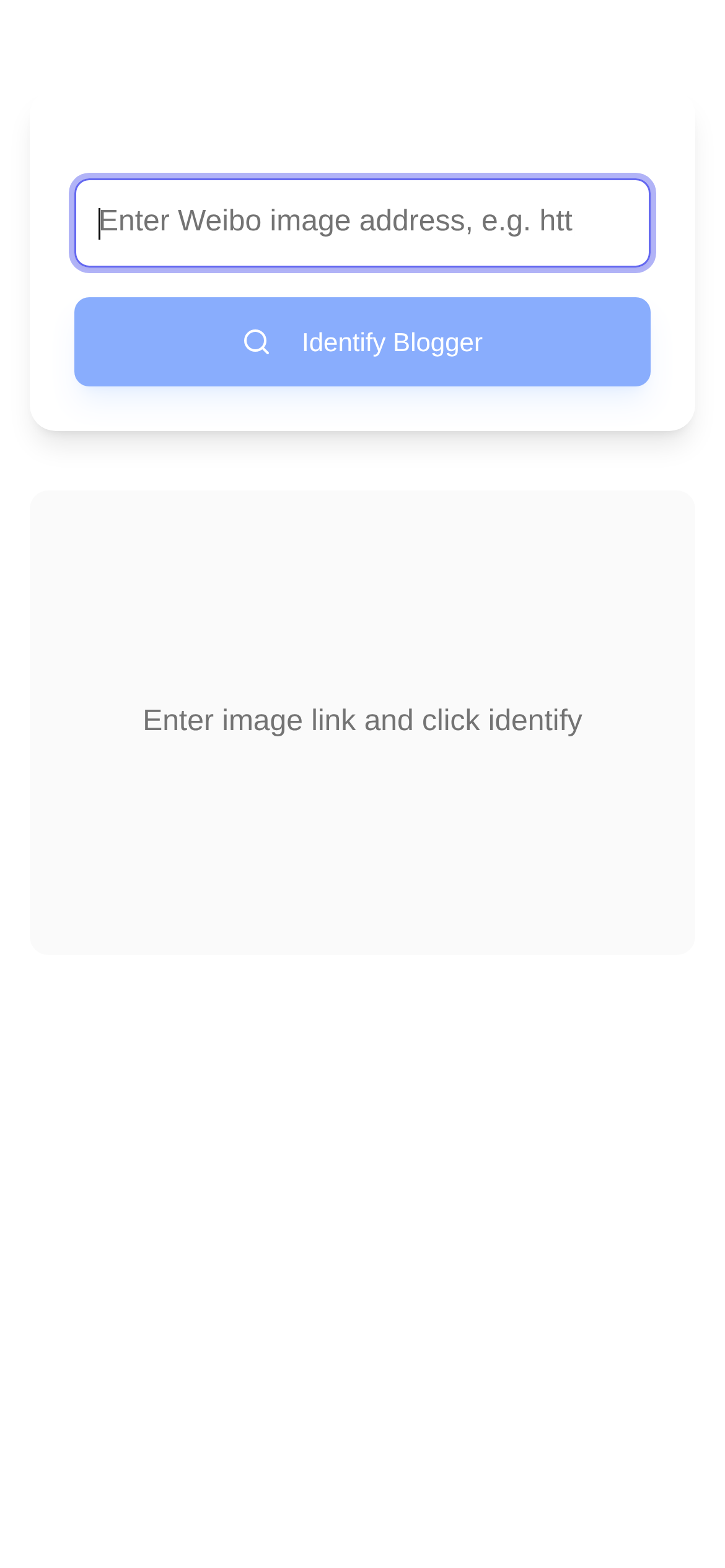
Tool Interface Preview
Weibo Image Poster Identifier
Have you ever experienced this? You're scrolling through Weibo, and a picture suddenly catches your eye, or looks incredibly familiar. You're itching to know exactly where it came from. Is it a new masterpiece from an original creator, or was it reposted from some obscure corner of the internet? Honestly, whether you want to find the original creator, trace a copyright, or simply satisfy your curiosity, the ability to figure out the origins of an image in Weibo's vast sea of information is incredibly practical. Today, I'll walk you through tracing Weibo images and share a tool I find incredibly handy to help you easily get to the bottom of any picture.
Why Do You Need to Find the Source of a Weibo Image?
A massive number of images flood Weibo every day. Learning how to trace their source doesn't just satisfy your curiosity; it can be a huge help when it counts:
- Find the Original Creator: When you see an image you like and want to learn the story behind it, or simply want to follow the original author, tracing the source is the first step. This is especially useful for creators, media editors, and even regular users. Simply put, it helps you respect copyright and avoid accidentally becoming an "image thief."
- Verify Information Authenticity: There's a lot of true and false information online nowadays. Images are often taken out of context or heavily photoshopped. By tracing the source, you can dig up the original context of the image and instantly tell if the information is reliable.
- Spot Trending Topics: Some images suddenly go viral across the internet. Figuring out who posted it first and where it originally appeared is very helpful for analyzing internet trends and fads.
- Negotiate Licensing and Collaboration: If you plan to use a certain image for commercial activities, finding the original author is the non-negotiable first step to obtaining authorization.
- Pure Interest: Some people just want to find more images of the same type or follow photographers/illustrators whose style they really like.
However, Weibo itself doesn't have a direct "reverse image search" feature, which can be quite a headache. Usually, when we use general search engines like Google Images or Baidu Images to search for Weibo pictures, the results are often unsatisfactory—especially if the image has been compressed, cropped, or watermarked. Therefore, we need to find more "professional" tools and methods.
How Do I Usually Trace Weibo Images?
Although Weibo lacks a built-in reverse search, there are always more solutions than problems. Here, I highly recommend a simple and highly efficient tool that I personally use: the Weibo Image Poster Identifier.
A Quick Overview of This Tool:
The Weibo Image Poster Identifier is an online tool whose strength lies in parsing the source of Weibo images. You just provide the image URL, and it intelligently analyzes which blogger posted it, instantly lowering the difficulty of tracing the source. Compared to comprehensive general image search engines, it is much more targeted at identifying images within the Weibo ecosystem, resulting in significantly higher accuracy.
Here are the step-by-step instructions:
-
Get the Weibo Image URL:
- Find the image you want to trace on the Weibo website or App.
- Web Version: This is the most convenient. Right-click the image, select "Copy image address" or "Open image in new tab," and then copy the long URL from the address bar.
- App Version: Tap the image to view it in full size. Although there are "Share" or "Save" options, directly copying the image URL can be a bit tricky. A reliable workaround is to save the image to your phone first, then upload it to an image hosting service to get a link (this is a bit convoluted, so I recommend using the web version to get the URL whenever possible).
- Key Point: Make sure you are copying the direct URL of the image itself, not the link to the Weibo post. Image URLs usually end with image formats like
.jpgor.png.
-
Open the Tool Website:
- Type in or click to enter the Weibo Image Poster Identifier page directly in your browser.
-
Paste the Link and Start Identifying:
- Paste the Weibo image URL you just copied into the input box on the tool page.
- Then click the "Identify" or "Search" button.
-
View the Results:
- The tool will automatically analyze the link and display the posting blogger's information, such as their nickname, UID, and even provide a direct link to the blogger's homepage. With this, you can easily find the source of the image.
Potential Issues and My Pro Tips
-
Is the "Weibo Image Poster Identifier" actually accurate? Since this tool is specifically designed for Weibo images, it is theoretically much more accurate than general search engines in this specific scenario. However, the image dissemination process is complex. If the image has been reposted multiple times, compressed, cropped, or re-uploaded by other users, the recognition effectiveness might be somewhat reduced. It primarily locates the blogger by parsing specific parameters within the Weibo image URL. Therefore, the more original and accurate the image URL you provide, the more reliable the results will be.
-
Why can't it identify the image URL I provided? You need to double-check if you accidentally copied the page link of the Weibo post instead of the direct link to the image itself. If the URL is incorrect, the tool cannot parse it. Additionally, if the image is very old or the blogger has already deleted it, it might not be identifiable.
-
Are there other methods besides this tool? In special cases, you can also try:
- Keyword Search: If there is text on the image, you can type the text into the Weibo search box and combine it with clues like the image's posting time to narrow down the search scope.
- Check for Watermarks: Many bloggers add their own watermarks to their images, which is the most direct clue for tracing the source.
- Image Feature Search: For highly original images, you can also try reverse searching using general search engines like Google Images or Baidu Images. While the results aren't guaranteed, you might get lucky and find some clues.
-
Who is this tool for? I think it's highly suitable for content creators, media professionals, copyright protection advocates, and regular users who are particularly interested in the sources of Weibo images. It simplifies the complex search process, making source tracing easily accessible.
-
What should I keep in mind when using this tool? First, ensure the tool you are using is safe and reliable. Second, when tracing a source, always respect others' privacy and copyright. If you find the original author and want to use their work, remember to contact them and obtain authorization—that's the bare minimum.
By mastering these methods and tools, I believe the next time you see an eye-catching image on Weibo, you won't be left in the dark, wondering where to start looking. Go give it a try! Uncovering the story behind an image is a truly unique experience!