

Tool Interface Preview
Fetal Weight Calculator
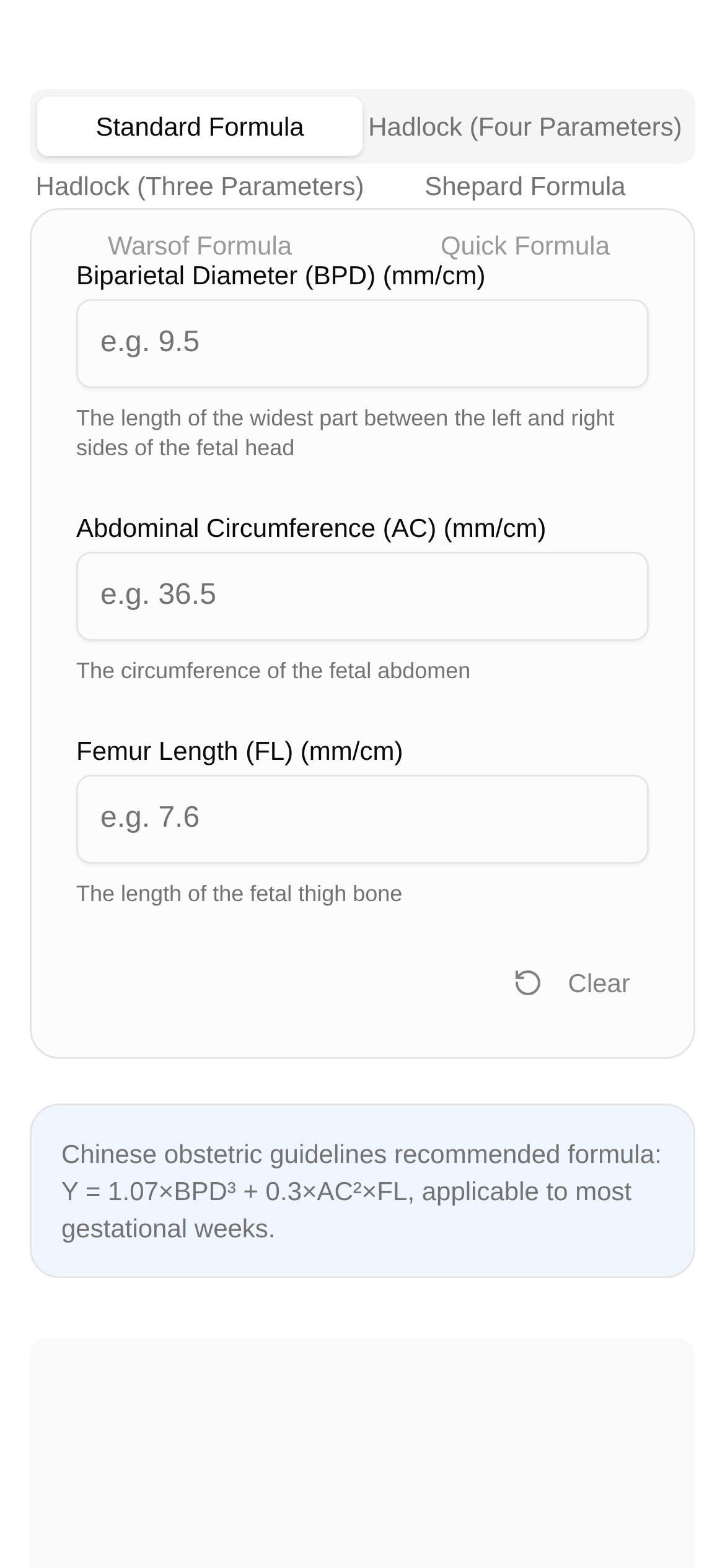
During pregnancy, my biggest concern is whether the baby in my belly is healthy and growing well. Every time I get an ultrasound report, the dense numbers make me both excited and a bit confused. Biparietal diameter, abdominal circumference, femur length... what do these actually mean? Can they be used to estimate how much the baby weighs? Of course! Today, I'll guide you step-by-step on how to use these ultrasound data to easily estimate your baby's weight, giving you a general idea of their growth.
Why is Estimating Fetal Weight So Important?
Fetal weight is a key indicator of how well the baby is developing in the womb. Doctors use this estimate to determine if the baby is growing too large (macrosomia) or developing a bit slowly (fetal growth restriction), allowing for timely intervention to ensure both mother and baby stay healthy. For us expectant parents, knowing the baby's approximate weight in advance also helps us better prepare for delivery. For example, when packing the hospital bag, you'll have a rough idea of what size clothes to buy for the baby; you can also form an initial expectation regarding the delivery method. However, ultrasound estimates are certainly not 100% accurate; they are just a reference. The baby's final weight is only confirmed once they are born and weighed.
What Do the Key Numbers on the Ultrasound Report Mean?
To estimate fetal weight, you mainly need to look at these data points on your ultrasound report:
- Biparietal Diameter (BPD): The widest distance across the baby's head from left to right.
- Abdominal Circumference (AC): The circumference of the baby's belly, which reflects their physical development.
- Femur Length (FL): The length of the baby's thigh bone, an important indicator for assessing skeletal development.
- Head Circumference (HC): The circumference of the baby's head, which is also used sometimes.
These measurements are usually in centimeters (cm) and are taken by the doctor using an ultrasound machine.
Fetal Weight Calculator: My Handy Little Helper
In the past, doctors used complex formulas to calculate fetal weight, like the Hadlock formula or Shepard formula. For us regular folks, those formulas are cumbersome and easy to miscalculate. But now, with professional online tools, this has become super easy!
What I want to share with you today is this—the Fetal Weight Calculator. It can quickly and accurately estimate fetal weight based on the BPD, AC, and FL data you input from your ultrasound. Plus, it supports several obstetric calculation formulas, making it easy to understand at a glance.
When Can You Use It?
- Expectant Mothers and Fathers: After every ultrasound, when you want to know approximately how much the baby weighs.
- Pregnancy Health Management: To regularly monitor the baby's growth and development and check for any abnormalities.
- Curious "Nerds": If you are interested in pregnancy data and want to understand the principles behind fetal weight estimation, you can also play around with it.
Step-by-Step Guide to Using the Fetal Weight Calculator
This fetal weight calculator is super easy to use; even if you aren't very tech-savvy, you can handle it effortlessly. Here are the detailed steps:
- Open the tool website: Click this link to access it: https://www.toolkk.com/tools/fetus-weight-calculator.
- Find the data on your ultrasound report: Take out your ultrasound report, locate the data for "Biparietal Diameter (BPD)", "Abdominal Circumference (AC)", and "Femur Length (FL)", and note down the corresponding values.
- Input the data: On the calculator page, you will see corresponding input fields. Accurately enter the data from your ultrasound report.
- Select a calculation formula (optional): This tool supports several obstetric calculation formulas. If you have specific needs, you can choose a different formula. However, generally speaking, the default formula works just fine.
- Click "Calculate": Once all the data is entered, click the "Calculate" button on the page.
- View the results: The calculator will immediately display the estimated fetal weight. You can also see the results calculated by different formulas for comparison.
Quick Tip: To make the estimation more accurate, be sure to input the latest ultrasound data and carefully double-check that you haven't entered any numbers incorrectly.
Frequently Asked Questions
Q1: Will there be a difference between the estimated fetal weight and the baby's actual birth weight?
A1: Definitely. Ultrasound estimates of fetal weight generally have a margin of error of about 10% to 15%. This is related to the baby's position in the womb, the ultrasound technician's experience, and the timing of the measurement. Therefore, the estimated result is just a reference and cannot completely replace the actual weight taken after the baby is born.
Q2: What if a data point is missing from the ultrasound report?
A2: If a key data point (like femur length) is missing, the calculator might not be able to provide an accurate result, or it may only be able to use certain formulas for the estimation. In this case, it's best to ask your doctor to see if an additional scan is needed.
Q3: The estimated result shows the baby's weight is too large or too small. What should I do?
A3: If the estimated result is significantly larger or smaller, don't panic right away. First, double-check that the data you entered is correct. Then, most importantly, consult your obstetrician immediately. The doctor will give you a professional assessment and advice based on your specific situation and other test results (such as amniotic fluid levels and placental function).
Q4: Who is this fetal weight calculator suitable for?
A4: This calculator is especially suitable for all expectant mothers and fathers who care about their baby's health, as well as medical professionals who need a preliminary understanding of fetal weight. It is easy to operate and the results are intuitive, making it a great helper for pregnancy health management.
Important Disclaimer: This article and the tool introduced within are solely intended to provide a reference for fetal weight estimation; they cannot replace professional medical diagnosis and advice. For all questions regarding pregnancy health and fetal development, please be sure to consult a professional obstetrician/gynecologist. Never make your own judgments or take any medical measures based on the calculation results of this tool.
I hope what I shared today can help our fellow expectant parents, making everyone feel more at ease during pregnancy with a clear understanding of their baby's growth and development! Go ahead and try this convenient and practical Fetal Weight Calculator!