

Tool Interface Preview
PYC Decompiler
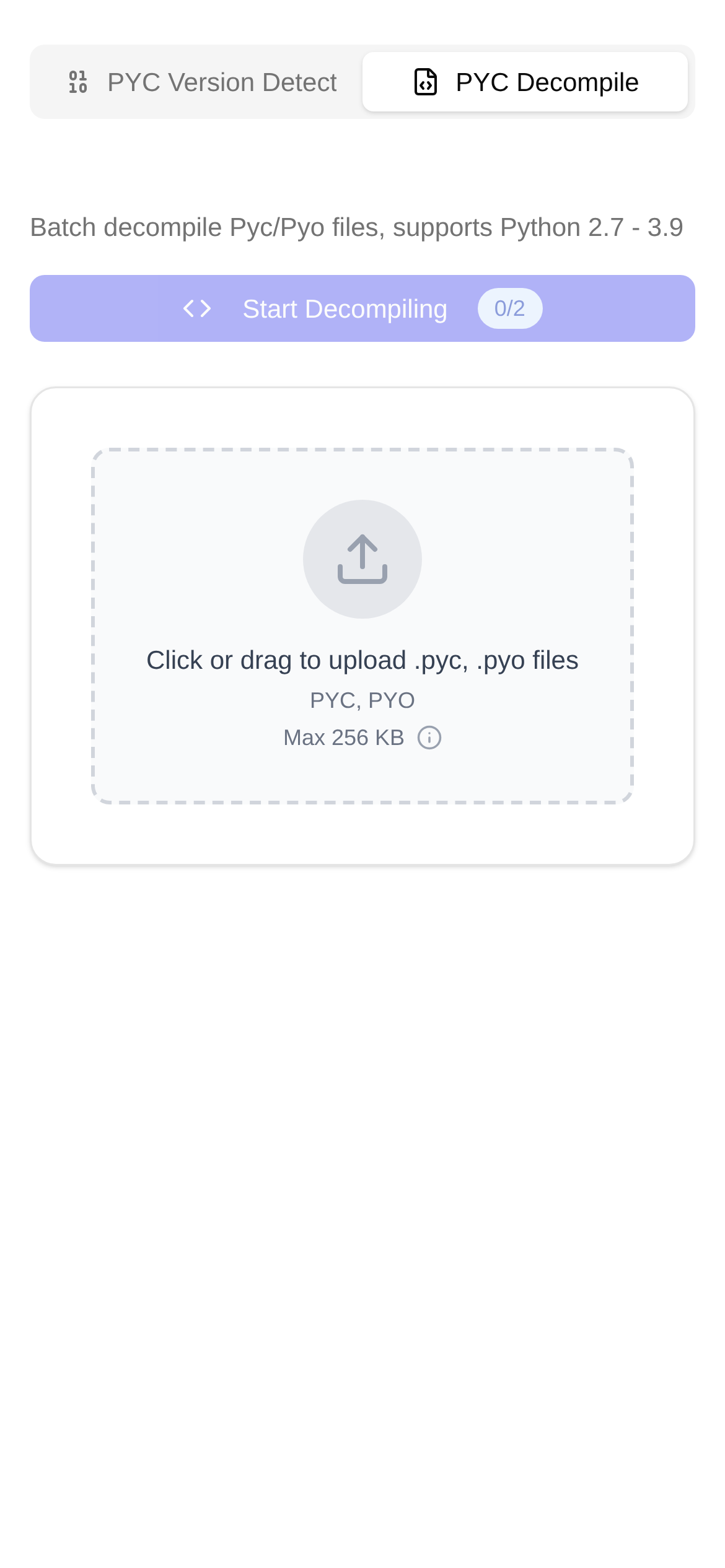
Hey, Python developers! Do you often find a bunch of "mysterious" .pyc files hiding in your project folders? Every time you see them, do you wonder what exactly they are, and why we sometimes have to figure out how to "turn them back" into readable Python code? Today, I'm going to break down exactly what .pyc files are, and recommend an incredibly useful tool I've been using to help you easily handle these little hassles.
.pyc Files: The "Semi-Finished" Python Code
Simply put, when you run a Python program, the Python interpreter doesn't directly read the .py files you wrote. It first compiles your hard-written code into something called bytecode. Then, this bytecode is packaged and stuffed into a .pyc file. You can think of bytecode as a "simplified" version of your code—it's platform-independent and executes much faster than running the source code directly. Why is it faster? Because it saves the effort of having to "translate" the code from scratch every time it runs.
So, you can understand .pyc files as a "pre-compiled" version of your Python source code. Its main purpose is to make your programs start and run faster, especially in large projects, so you don't have to recompile from scratch every time. It saves both time and effort.
When Would We Want to "Rewind" a .pyc File?
Although the original intent of .pyc files is to improve efficiency, in certain situations, we Python developers find that we absolutely need to revert them back to the original .py code. I've summarized a few common scenarios:
- Code Sleuthing and Vulnerability Troubleshooting: Imagine you only have a
.pycfile on hand, and the original.pycode is nowhere to be found. To figure out exactly what the program is doing, or to check for potential vulnerabilities or malicious code, decompiling is an absolute lifesaver. For friends in security research, or those who need to perform code audits without source code, this trick is especially handy. - In-Depth Learning and Teardowns: Sometimes, you might want to dive deep into the underlying implementation of a Python library or module, only to find nothing but
.pycfiles. Decompiling allows you to peek into its source code logic, helping you better understand how it works. You can even debug it yourself and learn a lot more in the process. - Recovering Lost Code: The most heartbreaking scenario is accidentally losing your original
.pyfiles, but luckily, the.pycfiles are still there. In this case, decompiling is your last line of defense to save your hard work. While it can't guarantee a 100% restoration of all comments or original variable names (those "fancy" details), the core logic code can usually be recovered, which is already fantastic. - Troubleshooting Version Compatibility: If you find that a
.pycfile behaves abnormally under different Python versions, decompiling it and comparing the source code can help you analyze whether it's a compatibility issue. This is incredibly helpful for debugging compatibility bugs.
How Do I Use the "PYC Decompiler" Tool?
Faced with the needs above, manually parsing that complex bytecode would be a pipe dream. This is where a handy decompilation tool becomes crucial. Personally, I've been using this online PYC Decompiler tool, and I find it exceptionally easy to use.
PYC Decompiler is an online service that effortlessly turns Python .pyc bytecode files back into readable source code, making the process completely hassle-free. It supports the vast majority of Python versions on the market and features a clean, straightforward interface. For developers like me who aren't fond of typing complex command-line instructions, it's an absolute godsend.
Here is exactly how I use it:
- Open the Tool: I usually just type https://www.toolkk.com/tools/pyc-decomplie directly into my browser and hit Enter.
- Upload the
.pycFile: There is a file upload area on the page. I can either click "Choose File" or, to be even lazier, just drag and drop my.pycfile right in. It's very convenient. - Select the Python Version (Optional): If I know which Python version was used to compile my
.pycfile, I'll select the corresponding version on the tool interface. This increases the accuracy of the decompilation. But even if you don't select one, the tool can usually "guess" it pretty accurately. - Start Decompiling: Click the "Start Decompiling" button, and the tool will automatically begin processing my file.
- View and Download Results: Once the decompilation is done, the restored Python source code is displayed directly on the page. I can copy it right away or choose to download it as a
.pyfile. It's highly flexible.
Super simple, right? I feel there's absolutely no need to search for "how to use a pyc decompiler" or "pyc decompilation tutorials"—this online tool paves the way for you. It's perfectly suited for various scenarios: whether you're a security engineer needing to inspect code, a student wanting to study open-source projects, or a programmer rushing to recover lost code, you'll find it helpful.
A Few FAQs and Tips I've Summarized
- How Good is the Restoration Quality? Decompiling a
.pycfile indeed cannot guarantee a 100% identical restoration of the original.pyfile. For example, comments, original variable names (if they were "encrypted" or optimized), and blank lines or formatting that don't affect code execution are usually unrecoverable. However, the core logical structure and functional code can definitely be restored, which is more than enough for research and practical use. - Match the Python Version: I've found it's best to decompile using the same or a similar Python version to the one that generated the
.pycfile. Because bytecode formats can vary between different Python versions, selecting the wrong version might lead to decompilation failure or inaccurate results. This is an important factor to consider when choosing a decompilation tool; a good tool will typically support multiple versions. - Legal and Ethical Boundaries: This is very important. If you decompile someone else's copyrighted
.pycfiles, you might get into legal trouble. Therefore, I personally recommend ensuring that your decompilation activities are legal and ethical, primarily used for learning, auditing, or recovering your own code. - Security of Online Tools: While online decompilers are convenient, if you are handling highly sensitive code, you need to be careful when choosing a tool and try to find a reputable one. The
PYC Decompilerprovided bytoolkk.comis optimized for security, but if your data is truly ultra-sensitive, a locally deployed decompilation tool might still be the safer bet.
After reading this, I believe you should have a much better grasp of .pyc files and the whole "PYC decompilation" process. Mastering this little skill will definitely add a layer of convenience and an extra safety net to your Python development journey!