

Tool Interface Preview
JSON Random Data Generator
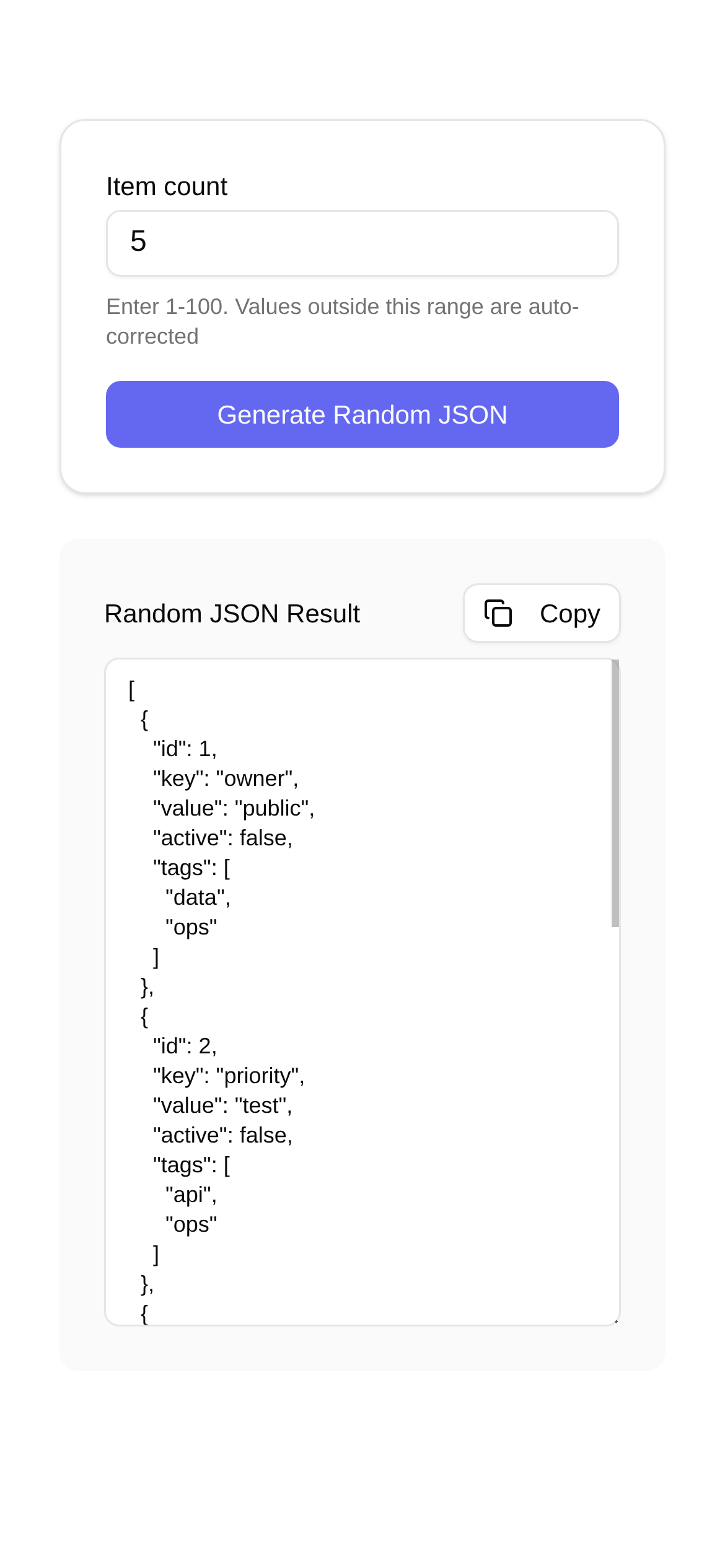
If you've been in development for a while, you've probably experienced this headache: a project just kicked off, the backend APIs aren't ready, and the frontend team has to manually mock up data just to render pages and test features. Or perhaps the APIs are finally integrated, but now you have to rack your brain thinking of edge cases and exceptions, hand-coding massive amounts of JSON to verify API robustness. Honestly, writing JSON manually is not only incredibly inefficient but also highly error-prone. When dealing with deeply nested, complex structures, it's enough to make you want to flip a table!
Today, let's talk about how to completely say goodbye to the misery of "hand-writing JSON". By using a few handy random data generators, you can easily automate your test data creation and double your development and testing efficiency!
Say Goodbye to Tedious Work: What Are Random Data Generators Good For?
A random data generator, as the name suggests, automatically generates a batch of data that meets your requirements based on rules or templates you set. For JSON data, this means you can specify whether each field is a string, number, boolean, array, or object. You can also limit data ranges, formats (like emails, phone numbers, or dates), and even simulate real business data distributions. Its core value boils down to these points:
- Efficiency Booster: Automatically generates large volumes of test data, saving you the time and effort of manually typing and modifying data.
- Data Diversity: Generates various random combinations, naturally broadening your test scenarios and rapidly increasing test coverage.
- Fewer Errors: Manual input always carries the risk of typos or logic errors; machine generation offers peace of mind.
- Zero-Wait Development: Frontend developers can use mock data to get pages and features running without waiting for backend APIs, allowing parallel development.
- Comprehensive Testing: Easily creates extreme or anomalous data to thoroughly verify system stability and robustness.
Who Needs It? Scenarios Where You Might Use One!
So, who and what scenarios do these tools primarily serve?
- Frontend Developers: Need to mock backend JSON responses before API integration so components and pages can function properly.
- Backend Gurus: Need various request or response bodies to feed into APIs when self-testing, running unit tests, or performing integration tests.
- QA/Test Engineers: Require large, diverse sets of test data to validate functionality and performance when writing automated test cases.
- Product Managers / UI Designers: May want to populate prototypes with realistic-looking data during the design phase for a more authentic feel.
- Data Analysts: Sometimes need to generate mock data to test ETL pipelines or verify the reliability of data models.
Simply put, as long as you deal with data—especially if you're a developer or tester who needs to mock large amounts of structured data—you can find a solution in these types of tools.
How to Use It: A Walkthrough with the "JSON Random Data Generator"
There is a massive variety of random data generation tools on the market, each with its own unique features. Today, I'll focus on a simple yet powerful online tool: the JSON Random Data Generator.
Tool Link: https://www.toolkk.com/tools/random-json
What attracts me most about this tool is its ability to "generate random JSON data based on a template structure", which feels tailor-made for development and testing. So, how do you use the JSON Random Data Generator? The tutorial is actually very straightforward. Follow along:
-
Define a JSON Template First: The input box on the left is where you write your JSON template. This template not only dictates the data structure but also uses special placeholders (like
{{number}},{{string}},{{boolean}},{{email}},{{phone}},{{date}}, etc.) to tell the tool that a specific field requires random data. For example, if you want to generate a user list where each user has an ID, name, email, and age, you can write it like this:[ { "id": "{{guid}}", "name": "{{name}}", "email": "{{email}}", "age": "{{number(18, 60)}}" } ]Here,
{{guid}}automatically generates a globally unique ID,{{name}}produces a random name,{{email}}creates a random email address, and{{number(18, 60)}}generates a random integer between 18 and 60. The tool supports a wide variety of placeholders, which are more than enough for daily use. -
Set the Generation Count: The tool interface usually has a field where you can specify how many records you want to generate (if you are generating an array).
-
Generate with One Click: Once everything is set up, click the "Generate" button. The output box on the right will instantly display the random JSON data generated based on your template and rules. You can copy it directly or download and save it locally.
Who is the JSON Random Data Generator for? Obviously, it is highly suitable for developers and testers who need to quickly create mock JSON data for API debugging, frontend development, or automated testing. Plus, since it's an online tool, you don't need to install anything—just open your browser and use it. It couldn't be more convenient.
FAQs and Quick Reminders
When using these tools, you might encounter a few minor issues or things to keep in mind:
- How Realistic is the Data?: While randomly generated data is diverse, it might lack the "realism" of actual business data. If your scenario requires highly realistic business data, you might need to combine this with other data mocking techniques.
- What About Complex Logic?: If there are highly complex logical correlations between your data (e.g., the value of one field affects the generation rules of another), a simple random generator might struggle. In such cases, you might need to write your own scripts or use more advanced mocking tools.
- Consider Performance: Generating massive amounts of complex JSON data consumes computing resources. Online tools might lag or hit performance bottlenecks when handling extremely large datasets. In these situations, using locally deployed tools or custom scripts is more reliable.
- Don't Ignore Data Security: When using online tools, never input sensitive production data as your template to avoid data leaks.
Comparing with Other Tools: There are also popular random data generation tools on the market like Faker.js and Mock.js (JavaScript libraries). Compared to them, the advantage of an online tool like the JSON Random Data Generator is that it requires no programming knowledge—you can use it right out of the box with almost zero learning curve. Those programming libraries, on the other hand, offer higher flexibility and customizability, making them better suited for integration into your automated testing frameworks or development pipelines.
In conclusion, the era of hand-writing JSON is truly over. Making good use of these random data generators can significantly boost your development efficiency and testing quality, freeing up your energy to focus on core business logic.
Disclaimer: The tools introduced in this article are for reference only. When actually using them, please carefully select and use these tools based on your specific needs and data security requirements. This article assumes no responsibility for any issues arising from the use of these tools. I strongly recommend generating test data in controlled environments and avoiding placing sensitive data on unsecured platforms.