

Images are everywhere in work and daily life——from social media posts and résumés to passport photos, blog graphics, and e-commerce product images. But common problems quickly get in the way: iPhone HEIC photos will not open on other devices, image files are too large to upload, removing a background requires Photoshop, and adding a watermark feels like a chore. Professional software can be overkill, while some online tools raise privacy concerns. Toolkk brings together 40+ free online image tools that work instantly with no installation required. Most processing happens locally in your browser, so your images are not uploaded to a server. Explore the tools below by category.
1. Image Format Converters
- HEIC to JPG: Convert iPhone HEIC photos to widely supported JPG files. Processing happens locally in your browser, making photos easy to open on Android phones and computers.
- PNG ⇄ JPG: Convert between PNG and JPG. Use JPG for smaller files or PNG when you need a transparent background.
- JPG ⇄ WebP: Convert images to and from WebP for smaller web graphics, faster page loads, and excellent visual quality.
- JPG ⇄ AVIF: Convert JPG files to the highly efficient AVIF format for smaller images at comparable quality.
- SVG to PNG: Export vector SVG files as high-resolution PNG images at your chosen dimensions for documents and platforms that do not support SVG.
- PNG ⇄ GIF: Convert between PNG and GIF for web assets and simple animation workflows.
- PNG ⇄ BMP: Convert lossless bitmap images for compatibility with legacy software and specialized editing workflows.
- PNG ⇄ TIFF: Convert between PNG and high-resolution, print-ready TIFF files, including large images.
- Image to Base64: Encode images as Base64 strings for embedding in web pages, CSS, or emails and reducing additional file requests.
2. Image Compression and Resizing
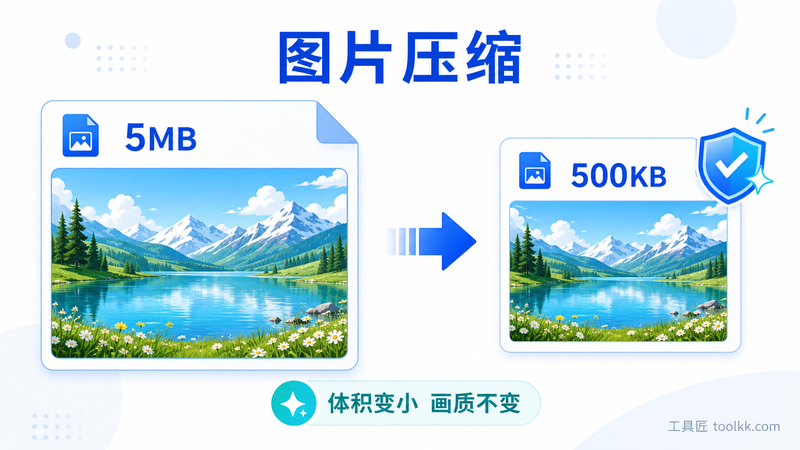
- Image Compressor: Compress image files online and optionally resize them proportionally——ideal for websites, résumés, blogs, and upload limits.
- Image Resizer: Set custom pixel dimensions or lock the aspect ratio to meet image-size requirements across different platforms.
- Image Cropper: Drag to select an area, remove unwanted edges, and reframe your image precisely.
- Rotate and Flip Image: Rotate or mirror an image in one click to straighten photos or create reflected graphics.
3. Shapes, Borders, Grids, and Collages
- Circle Image Maker: Crop an image into a circular profile photo or icon with a transparent or custom-colored background.
- Rounded Corners: Add rounded corners to images for polished UI designs, cards, and article graphics, with high-resolution export.
- Add Image Border: Create a custom border with your preferred color and width for cleaner screenshots and product images.
- 3×3 Image Grid Splitter: Automatically split one image into a nine-tile grid for Instagram and other social media posts.
- Image Stitcher: Seamlessly combine multiple images into one long image for conversations, tutorials, and step-by-step guides.
4. Photo Enhancements and Effects
- Image Color Adjuster: Adjust brightness and contrast online to quickly improve dark or washed-out photos.
- Frosted Glass Effect: Create a blurred glass-style background in one click for covers, wallpapers, and modern designs.
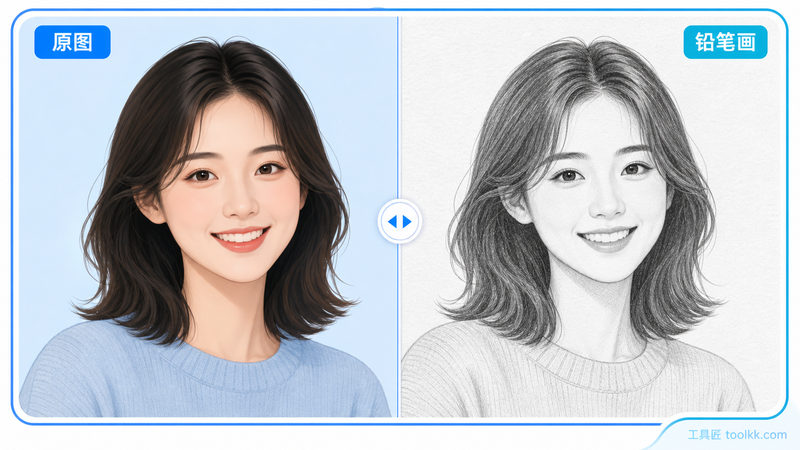
- Photo to Pencil Sketch: Turn a photo into a pencil drawing for creative profile pictures and hand-drawn-style illustrations.
- Quote Card Maker: Turn text into a polished image card for sharing quotes, tips, and messages on social media.
- Solid Color Image Generator: Create a solid-color image in any size and color for backgrounds, placeholders, or livestream layouts.
- Placeholder Image Generator: Generate placeholder images with custom dimensions and text for wireframes, mockups, testing, and development.
5. AI Background Removal and ID Photos
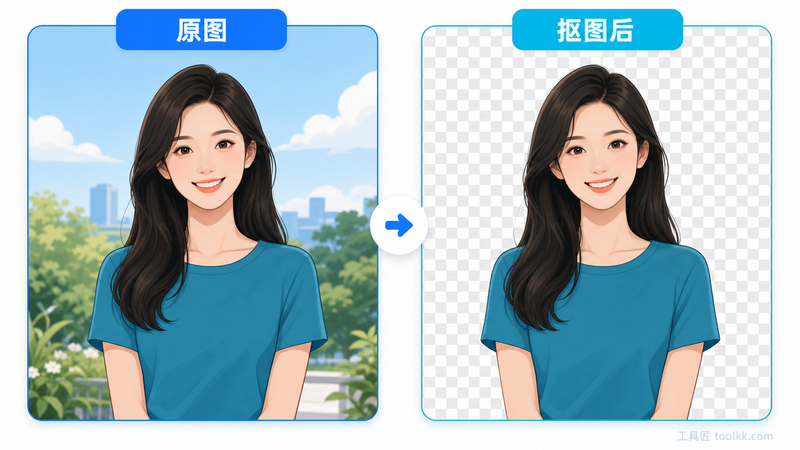
- Portrait Background Remover: Use AI to separate a person from the background and create a transparent PNG in one click. Change ID photo backgrounds or prepare product graphics without Photoshop.
- Passport Photo Maker: Remove and replace backgrounds with AI, choose from international photo sizes, or enter custom dimensions. Local processing helps protect your privacy while you create ID photos at home.
- Passport Photo Checker: Check whether an ID or passport photo meets common requirements before submitting it for a visa, exam, or application.
- People Counter: Use AI to count people in an image for events, attendance reviews, and foot-traffic analysis.
6. Watermarks and Copyright Protection
- Add Watermark to Image: Add custom text or image watermarks online to protect your photos and creative work.
- Embed Invisible Watermark: Add an imperceptible digital watermark to help establish ownership, trace unauthorized use, and protect images.
- Verify Invisible Watermark: Detect and extract hidden watermark data from an image to verify its source or document ownership.
- Weibo Image Source Finder: Look up the original poster from a Weibo image URL and trace the source of a social media image.
7. Animated GIF Tools
- GIF Maker: Turn images or videos into animated GIFs, with cropping and frame-rate controls for memes, demos, and tutorials.
- GIF Compressor: Reduce animated GIF file size while preserving clear image quality for easier uploading and sharing.
- GIF Frame Extractor: Split an animated GIF into individual high-quality images for frame extraction or further editing.
- GIF Cropper: Select and crop a precise area of an animated GIF while preserving the animation.
- GIF Merger: Join multiple GIFs into one continuous animation.
Bonus: Icons, QR Codes, and Barcodes
- Favicon Generator: Convert an image into a multi-size ICO favicon for browser tabs and websites.
- PNG to ICO: Convert a PNG image to an ICO icon containing six commonly used sizes.
- JPG to ICO: Convert a JPG image into a multi-size ICO icon file.
- Letter Icon Generator: Turn text into a circular or rounded-square letter icon for profile images, favicons, and UI elements.
- QR Code Generator: Create a scannable QR code from a URL or text, with custom colors and error-correction levels.
- QR Code Reader: Upload a QR code image to extract its text, URL, or other embedded information.
- Barcode Generator: Create printable EAN-13, CODE-128, and other 1D barcodes from your data and export them as images.
Which Image Tool Should I Use?
| What You Need | Recommended Tool |
|---|---|
| Make an iPhone photo open on other devices | HEIC to JPG |
| Reduce an image that is too large to upload | Image Compressor |
| Remove or replace a photo background | Portrait Background Remover |
| Create an ID or passport photo at home | Passport Photo Maker |
| Create a nine-tile social media post | 3×3 Image Grid Splitter |
| Combine screenshots into one long image | Image Stitcher |
| Protect images from unauthorized use | Add Watermark to Image / Embed Invisible Watermark |
| Create a meme or animated demo | GIF Maker |
| Make website images load faster | JPG ⇄ WebP |
All of these image tools are free to use online. Most run locally in your browser without uploading images to a server, giving you greater privacy when editing personal photos or identity documents. Bookmark this page for the next time you need to convert a file, compress an image, remove a background, add a watermark, or create an animated GIF.