

Tool Interface Preview
Random JSON Data Generation
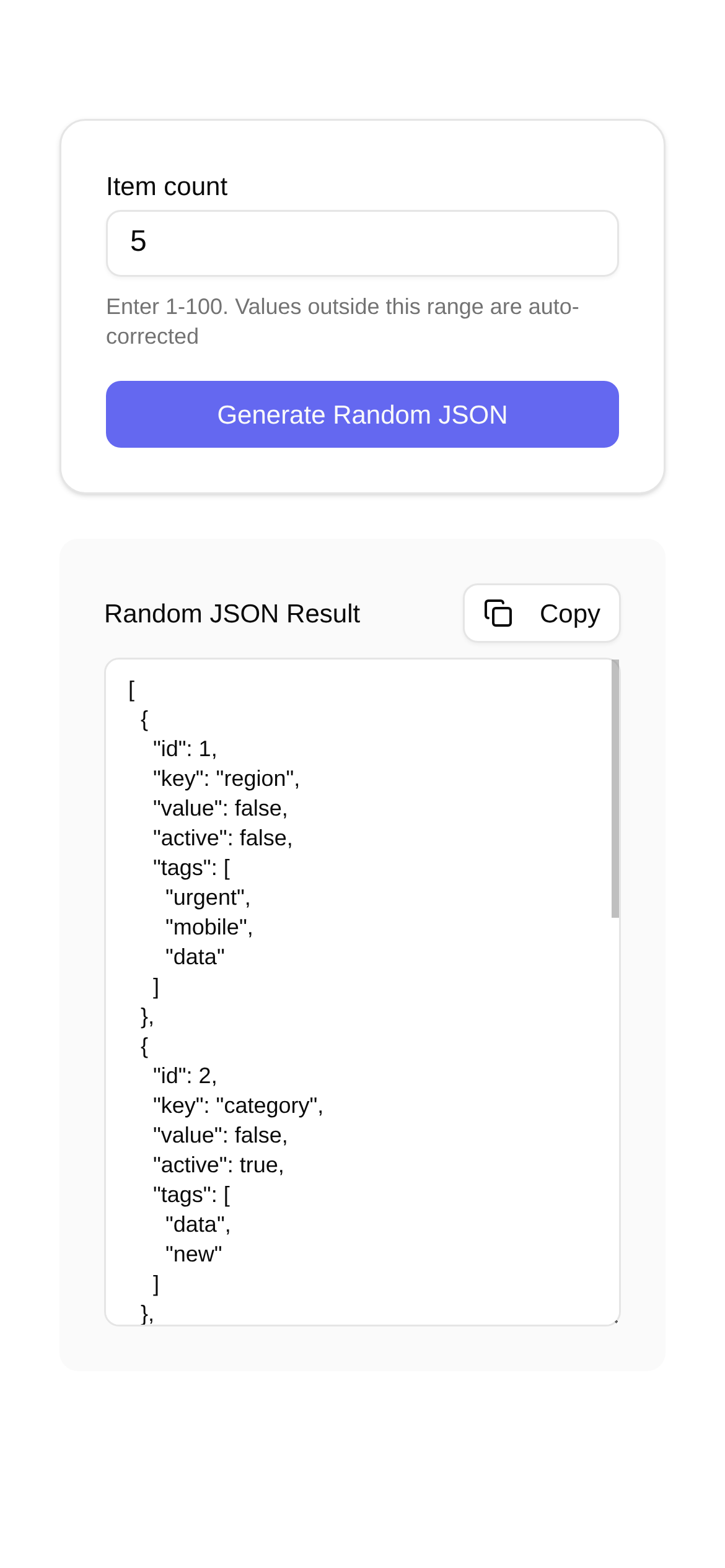
As a tech blogger and developer, preparing data has always been the biggest roadblock in my development and testing workflow. Just thinking about creating massive, complex JSON structures with constantly changing data types gives me a headache. Typing it out manually? That's a nightmare—it's inefficient, highly error-prone, and can instantly slow down project progress and impact test quality. That's why today, I have to share my secret weapon: the **Random JSON Generator**. This tool truly frees up your hands and makes your efficiency skyrocket. Let me walk you through how to use it, along with a few of my personal tips.
Why I Can't Live Without the Random JSON Generator
Whether you're building web apps, mobile apps, or APIs, JSON is the universal language for data exchange. Front-end devs need to mock backend API data, backend engineers need to test API functionality, and QA teams need to run stress and boundary tests—all of which require massive amounts of JSON data. How did we handle data in the past? Hardcoding, manual entry, or writing custom scripts. But honestly, these methods have plenty of frustrating drawbacks:
- It's exhausting: Think about it—filling out a complex JSON structure field by field takes a massive amount of time.
- Data lacks variety: Manual entry can't quickly generate diverse datasets, leading to incomplete test coverage and missed bugs.
- Prone to human error: We all make mistakes. When typing data manually, invalid formats and logical errors are everyday occurrences.
- Hard to maintain: Project iteration is the norm. When data structures change, the generation logic you painstakingly wrote often has to be scrapped and rewritten, which is mentally draining.
That's exactly why the Random JSON Generator was created. It intelligently generates compliant, diverse, and randomized JSON data based on your templates. It's an absolute lifesaver for developers and testers.
Key Features and Use Cases
Today, I want to highly recommend an online tool: Random JSON Generator. What I love most about it is that it requires no installation—just open your browser and start using it. Its core capability is simple: generating random JSON data based on template structures.
What makes it so special?
- Hassle-free template generation: Just provide a JSON "skeleton," and it understands your intent, generating data step by step.
- Supports all data types: It easily handles standard JSON types like strings, numbers, booleans, arrays, and objects, generating random values for all of them.
- Rich random value generation: Whether you need random names, emails, addresses, numbers within a specific range (like ages, prices, IDs), or dates and times, it can do it all while letting you set the boundaries.
- Controllable array lengths: Want an array with exactly 3 to 5 random elements? No problem. It lets you control the minimum and maximum array lengths for maximum flexibility.
Who is this tool for?
- Front-end Developers: Backend APIs aren't ready yet? No worries. Use it to mock API data so you can start building pages and debugging features without waiting.
- Backend Engineers: Need massive amounts of mock data to test API functionality, run performance tests, populate databases, or assemble request bodies? This tool is a huge help.
- QA & Testing Teams: Writing test cases, performing functional, stress, or boundary testing to verify API robustness? You'll never have to worry about test data again.
- Data Analysts & Scientists: Need mock data to validate algorithms or build prototypes? It quickly provides data support, saving you the hassle of fabricating data.
- Students & Beginners: When learning JSON structures or data processing, using it to quickly generate sample data makes concepts more intuitive and boosts learning efficiency.
How to Use It: A Step-by-Step Guide
Let's take the Random JSON Generator as an example, and I'll walk you through the exact steps.
-
Open the webpage: It's simple. Just enter this URL in your browser: https://www.toolkk.com/tools/random-json.
-
Enter your JSON template: There's an input box on the left side of the page. Paste your desired JSON structure template there, or write it from scratch. This template tells the tool what you want the generated data to look like. For example, if I want a user list where each user has an ID, name, age, and email, the template would look like this:
[
  {
    "id": "@guid",
    "name": "@cname",
    "age": "@integer(18, 60)",
    "email": "@email"
  }
]
There's a little "magic" happening here:
@guid: Gives you a globally unique ID. Very convenient.@cname: Generates a random Chinese name.@integer(18, 60): Generates a random integer between 18 and 60, perfect for fields like age.@email: Naturally, this generates a random email address.
The tool has plenty of built-in placeholders, such as
@string,@number,@boolean,@date,@time,@datetime,@url,@ip,@paragraph,@sentence,@word,@province,@city,@county,@zip,@domain, and more. These cover almost all your random data generation needs. Want to know more details? Check out the documentation at the bottom of the page—it's very comprehensive. -
Set the generation count: On the right side of the page, there's a "Generate Count" input box. Enter the number of records you want to generate. For instance, if I enter
5, it will generate data for 5 users. -
Click "Generate Data": Once everything is set, click the "Generate Data" button. Based on your template and count, the tool will instantly display the randomly generated JSON data in the output box on the right.
The generated data will look something like this:
[ { "id": "b8e7c0d2-f6a9-4c1e-9d3b-8a5f0e2c1b4d", "name": "Zhang Wei", "age": 35, "email": "zhang.wei@example.com" }, { "id": "a1b2c3d4-e5f6-7890-1234-567890abcdef", "name": "Li Na", "age": 28, "email": "li.na@example.com" }, // ... and more data, all randomized and matching your definition ] -
Copy and use it!: You can directly copy this generated data and paste it into your code, testing tools, or database. It's incredibly flexible and ready to use however you see fit.
Frequently Asked Questions
Q1: How do I generate JSON with random arrays?
A: It's simple. Just use array placeholders in your template, or combine them with @integer to control the array length. For example, if I want to generate a user with multiple random tags:
{
  "user_id": "@guid",
  "username": "@cname",
  "tags": [
    "@string(3, 8)", // Generates a random string of 3 to 8 characters
    "@string(3, 8)",
    "@string(3, 8)"
  ]
}
If you also want the number of tags to be random, you can do this:
{
  "user_id": "@guid",
  "username": "@cname",
  "tags": "@array(3, 5, @string(3, 8))" // This generates 3 to 5 tags, each being a random string of 3 to 8 characters
}
Q2: Can it handle specific business logic requirements for the generated data?
A: This tool excels at generating random data with correct structures and data types. However, if you have highly complex business logic—like one field's value strictly depending on the calculation of another, or strict correlations across multiple fields—it might not meet those needs directly. In such cases, my recommendation is to use this tool to generate the foundational data first, and then perform secondary processing or validation in your test scripts or data processing layer. That being said, for most development and testing scenarios, its efficiency is more than enough to solve over 80% of your problems.
Q3: Which is better: using this JSON Generator or writing my own scripts?
A: It depends on the situation. There's no absolute "better," just like asking whether a fork or a spoon is better.
- For convenience and speed: If you just want to quickly generate common random data, online tools like the Random JSON Generator are a godsend. No coding required—just a few clicks, and your data is ready.
- For high customization: If your data generation logic is extremely complex, requires special customization, or needs deep integration with existing systems, writing your own scripts (e.g., in Python or JavaScript) offers more flexibility for granular control.
Q4: Are there any other similar tools you recommend?
A: There are certainly many other JSON data generation tools on the market, ranging from desktop apps to more robust online platforms. But when it comes to simplicity, efficiency, and ease of use, I personally think the Random JSON Generator stands out for quickly generating random JSON data. It's especially suited for our daily dev and test workflows. I've been using it for a long time, and it's incredibly handy.
A Quick Summary
A Random JSON Generator is truly a handy weapon in the development and testing pipeline. It solves the pain points of data preparation, significantly boosts your workflow efficiency, and allows you to focus more on core business logic. Mastering and utilizing tools like this will absolutely yield twice the result with half the effort. Don't hesitate—go try the Random JSON Generator right now! Trust me, you'll love it.