

Tool Interface Preview
Inverse Trigonometry Calculator
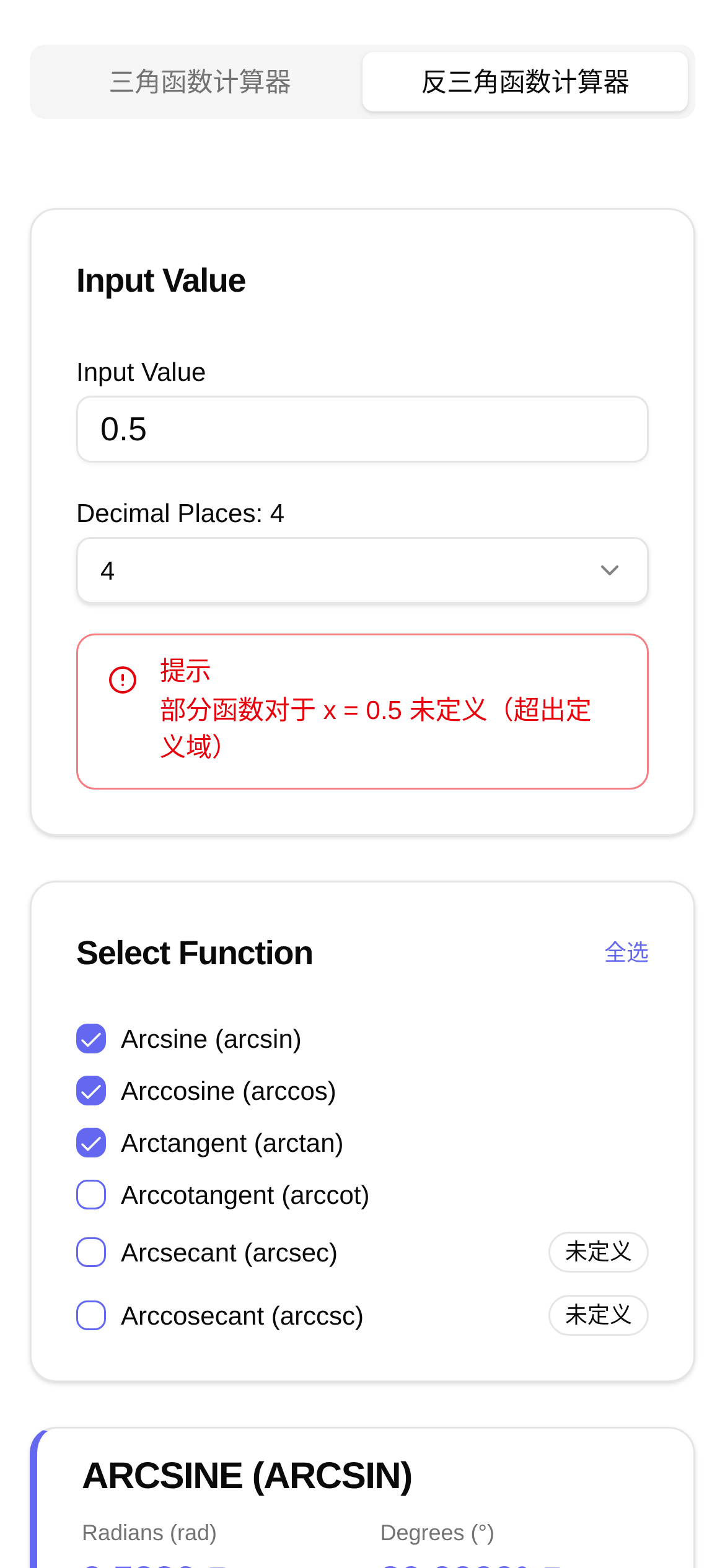
Have you ever found yourself in this situation: looking at a right triangle, knowing the lengths of two sides, but just can't figure out the angle? Or perhaps, when doing physical modeling or engineering design, you frequently need to reverse-calculate a ratio back to its corresponding radian value? Stop flipping through thick calculator manuals or manually checking reference tables. Today, I'm going to share a "magic tool" with you that guarantees to easily solve these headaches—the Inverse Trigonometry Calculator.
What Can It Do? Six Types of Inverse Trigonometric Calculations Accurate to Over a Dozen Decimal Places
This online tool is called the "Inverse Trigonometry Calculator." Its core capability is to accurately calculate the radian values of six inverse trigonometric functions: asin (arcsine), acos (arccosine), atan (arctangent), as well as their corresponding acosh (inverse hyperbolic cosine), asinh (inverse hyperbolic sine), and atanh (inverse hyperbolic tangent). Whether you are studying high school math, college physics, or working in a related engineering field, as long as you need to calculate angles, it can meet your precision requirements.
Entering decimals is no problem. Best of all, you can customize the calculation precision, easily handling everything from a few decimal places to over a dozen. This is incredibly convenient for those who have strict requirements for calculation results. Want to give it a try? Click here to use it: Inverse Trigonometry Calculator.
Who Needs It? Common Use Cases
- Students (High School and College): In math and physics classes, topics like trigonometry, vectors, and mechanics often involve problems where you need to find an angle from a known ratio. For example, knowing the height and length of a ramp, how do you calculate the angle of inclination? This is where
asinoratancomes in handy. - Engineers and Designers: In mechanical design, construction, and circuit design, angle precision is critical. Think about it: determining gear meshing angles, calculating antenna elevation angles, or analyzing phase differences in circuits—all of these rely on precise calculations.
- Researchers: In scientific research like physical modeling, data analysis, and signal processing, inverse trigonometric functions are key tools for solving complex equations and analyzing periodic phenomena.
- Programmers: When writing code, especially for applications involving graphics computing, physics engines, and game development, inverse trigonometric functions provide the underlying mathematical support for implementing features like rotation and collision detection. You can't do without them.
With all that said, how do you use this inverse trigonometry calculator? Who is it for? Simply put, it is suitable for anyone who needs fast and accurate inverse trigonometric calculations, especially digital tool enthusiasts who want to break free from traditional calculators and pursue convenience and efficiency.
Super Simple to Use: Calculate in Three Steps
Using this Inverse Trigonometry Calculator is a piece of cake. Even if it's your first time, you'll get the hang of it quickly.
- Select the Function: Find the corresponding inverse trigonometric function button on the page, like
asin,acos, oratan, and click the one you need. - Enter the Value: Fill in your data in the input box. Just a reminder, the values for
asinandacosusually need to be between -1 and 1; anything outside this range will not yield a real number solution.atandoesn't have these restrictions, so you can enter any number. - Adjust Precision (Optional): If you have specific precision requirements for the result, you can adjust the number of decimal places to make the result more precise or more concise.
- View the Result: Click the calculate button, and the result will appear instantly. By default, it displays the radian value.
For example, if you want to calculate asin(0.5), just select asin, enter 0.5, click calculate, and the corresponding radian value will be displayed.
Frequently Asked Questions and Quick Tips
- "How do I use this inverse trigonometry calculator?" As mentioned above: select the function, enter the value, and click calculate. It couldn't be simpler.
- "Why am I getting an error for my
asinoracoscalculation?" Check if your input value is within the valid range of [-1, 1]. For instance,asin(2)cannot be calculated because the maximum value of the sine function is 1. - "Is the result in radians or degrees?" This tool provides the radian value by default. If you need degrees, simply multiply the radians by
180/πto convert it. - "What makes this tool better than other calculators?" Its advantages lie in its convenience, specialization (focusing solely on inverse trigonometric functions), and customizable precision. Plus, there's no need to download or install anything—you can use it anytime, anywhere.
- "What should I keep in mind when using it?" Besides the input value range limits, pay attention to the difference between inverse hyperbolic trigonometric functions (
asinh,acosh,atanh) and standard inverse trigonometric functions. They are quite different in their mathematical definitions and application scenarios.
Once you master this Inverse Trigonometry Calculator, you'll find that handling various angle-related calculation tasks becomes much easier. Whether for study or work, it can be a huge help. Bookmark it now—you never know when you might need it!